Apple TV Explained: The Complete 2026 Guide to Streaming, Hardware, and Apple TV+ Originals

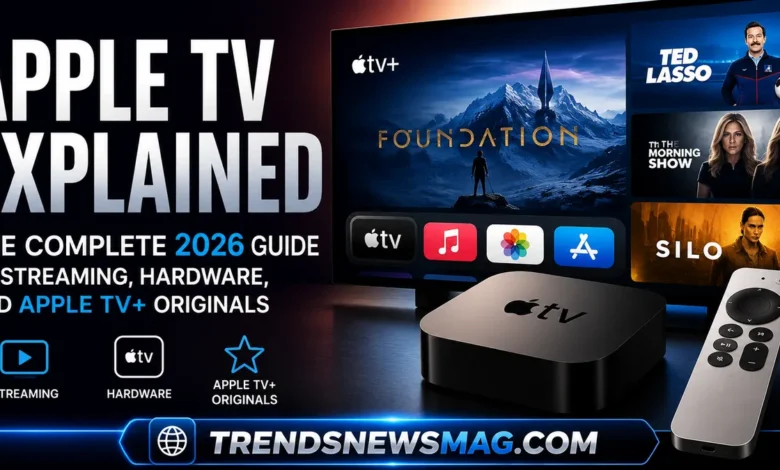
Streaming has quietly rewritten the rules of how households watch television, and few names come up as often in that conversation as Apple TV. Whether someone is asking about the small black hardware box that sits under a television, the subscription service packed with original dramas and comedies, or the broader ecosystem that ties an iPhone, iPad, and living room together, the phrase covers a surprising amount of ground. That ambiguity is actually one of the more confusing parts of Apple’s naming strategy, and it trips up plenty of shoppers who walk into an electronics store or open a browser tab looking for straightforward answers.


This guide exists to clear up that confusion once and for all. It walks through the hardware generations, the streaming service itself, pricing structures, setup advice, comparisons against rival platforms, gaming capabilities, parental controls, and the kind of practical troubleshooting tips that only come from actually living with the product for years. The goal is not to repeat marketing copy but to give a grounded, honest picture of what this platform does well, where it falls short, and who it actually makes sense for. By the end, anyone deciding whether to buy the hardware, subscribe to the service, or simply understand what a friend is talking about should have a complete, practical answer.
Releated Stream Guides:
What Is Apple TV and How Does It Work
At its core, the term refers to two distinct but related things. The first is a physical streaming media player, a compact box that connects to a television through an HDMI cable and gives access to thousands of apps, games, and streaming services in one interface. The second is a subscription-based streaming service, often written as Apple TV+, which hosts original films, documentaries, and television series produced or backed by Apple itself. Many people use the two interchangeably, but understanding the distinction matters because one is a piece of hardware you buy once, while the other is an ongoing monthly commitment.
The hardware side runs on tvOS, Apple’s operating system built specifically for the living room experience. It uses the same underlying architecture found in iPhones and iPads, which is part of why the interface feels so responsive compared to some budget streaming sticks. Once connected to Wi-Fi or ethernet, the box becomes a hub for nearly every major streaming app, including Netflix, Disney+, Max, Hulu, YouTube, and of course Apple’s own service. It also supports AirPlay, letting anyone with an iPhone or Mac wirelessly send video, photos, or audio straight to the television screen without cables or extra setup. A quote from a longtime home theater reviewer sums up the appeal well: “It’s less about being the flashiest box on the shelf and more about being the one that just works every single time you turn it on.” That reliability, more than any single feature, is usually what keeps people loyal to the platform once they’ve tried it.
Apple TV Hardware Generations Explained
Apple has released several versions of the hardware since its original debut, and knowing the differences helps buyers avoid overpaying for features they won’t use or underbuying for a setup that can’t keep up with a modern television. The very first models were fairly limited, functioning almost like accessories to iTunes rather than standalone streaming devices. It wasn’t until later generations introduced an app store, Siri voice control, and 4K support that the product became a genuine competitor to dedicated streaming players from other manufacturers.
The current lineup centers around the Apple TV 4K, which supports high dynamic range formats including Dolby Vision and HDR10, along with spatial audio when paired with compatible speakers or headphones. The newest chip inside handles demanding tasks like fast app switching, high-frame-rate gaming, and smooth scrolling through content libraries without the stutter that plagues cheaper hardware. Storage options typically come in two tiers, with the higher-capacity version aimed at people who plan to download a lot of games through Apple Arcade rather than only stream. One detail that often surprises new buyers is that the remote has evolved significantly too, moving from a frustratingly touch-sensitive glass surface to a more tactile clickpad design after years of user complaints. That kind of iterative listening reflects how much attention Apple pays to the small details that make daily use frustrating or pleasant, even if it took a few tries to get right.
For anyone comparing older refurbished units against the newest release, the practical differences usually come down to processing speed, HDMI version support, and whether the box can output true 4K at 60 frames per second for fast-motion sports and gaming content. A refurbished older model can still handle Netflix and basic streaming just fine, but anyone serious about a home theater setup with a modern 4K or 8K television will notice the gap in performance almost immediately.
For a detailed head-to-head breakdown against top competitors, check out our full comparison on Apple TV 4K vs Roku Ultra 2026.
Apple TV+ Streaming Service: Content Library and Original Programming
The subscription side of the equation has grown from a modest, somewhat overlooked library into one of the more critically respected streaming catalogs in the industry. Unlike competitors that rely heavily on licensed reruns and syndicated content to pad their libraries, this service has leaned almost entirely into original programming. Shows like the workplace drama Severance and the aviation-themed comedy Ted Lasso earned both audience loyalty and a stack of industry awards, proving that a smaller, curated catalog can still compete against giants with decades of back catalog content.
That original-only approach is a double-edged sword. On one hand, it means subscribers rarely feel like they’re wading through filler content just to find something worth watching, since almost everything in the library was produced with a reasonably high budget and creative oversight. On the other hand, the total volume of content remains smaller than what’s available on Netflix or Amazon Prime Video, which can make a monthly subscription feel less justified for households that binge constantly and burn through a season in a weekend. A film critic once described the strategy this way: “It behaves less like a warehouse and more like a boutique gallery, curated rather than crammed.” That description captures both the appeal and the limitation in a single sentence.
Beyond scripted drama, the platform has invested heavily in documentaries covering science, nature, and current events, along with a growing slate of feature films that sometimes receive limited theatrical releases before landing on the service. Sports coverage has also expanded, with exclusive rights to certain Major League Baseball games and Major League Soccer matches bringing live programming into a catalog that was once entirely on-demand. This diversification matters because it broadens the appeal beyond prestige drama fans and starts pulling in sports viewers and documentary lovers who might otherwise never have considered subscribing.
Setting Up and Navigating the Apple TV Interface
Getting the hardware running for the first time is refreshingly straightforward compared to some competing streaming boxes that require lengthy account creation steps before anything useful happens. After connecting the HDMI cable and powering on the unit, the on-screen setup wizard walks through Wi-Fi selection, Apple ID sign-in, and a quick calibration step using an iPhone’s camera to configure color settings automatically for the connected television. That automatic calibration step alone puts it ahead of several rivals, since manually adjusting picture settings is a task most people skip entirely and simply live with mediocre color accuracy.
The home screen itself organizes content into a grid of app icons, similar to an iPhone’s layout, rather than the algorithm-driven content rows favored by Roku or Fire TV. Some users find this refreshing because it avoids being bombarded with promotional tiles for shows they have no interest in. Others find it slightly less convenient because there’s no unified “watch next” row pulling episodes from every app into a single list, something competitors have prioritized more aggressively. The built-in TV app attempts to bridge that gap by tracking viewing progress across supported streaming services, though not every app participates fully in that integration, which can leave gaps depending on which subscriptions a household actually uses.
Voice control through Siri handles a surprising range of requests, from searching for a specific actor’s filmography to asking what the weather looks like for the weekend, all without leaving whatever show happens to be playing. Long-press the microphone button on the remote, ask a question, and results appear almost instantly, which feels far more natural than typing out a search query letter by letter with a directional pad. This kind of hands-free convenience becomes especially useful for households with young children or older relatives who find typing on-screen genuinely tedious.
Apple TV vs Roku vs Fire TV vs Chromecast: A Comparison
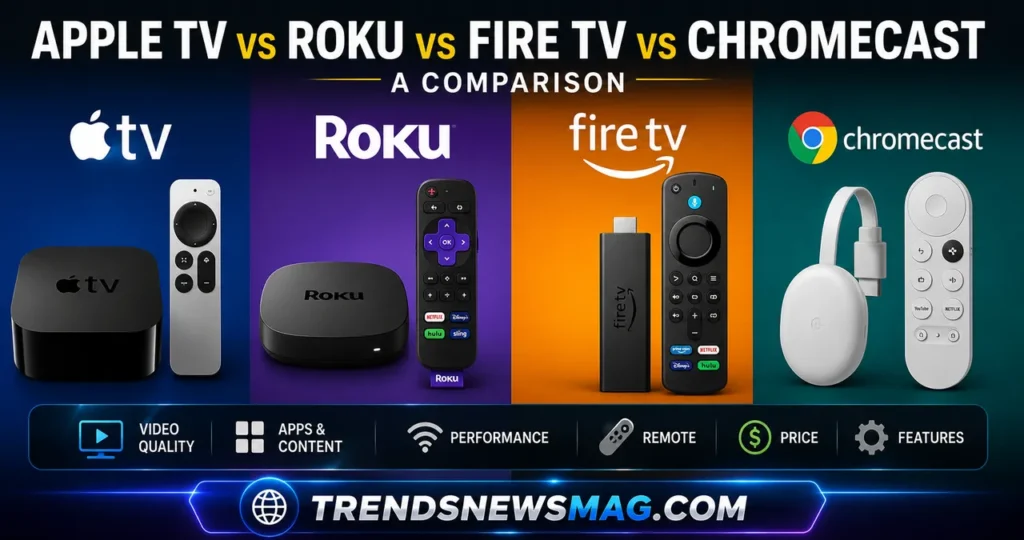
Choosing between streaming platforms often comes down to ecosystem loyalty, budget, and how much someone values interface polish over raw content discovery. Roku remains popular for its simplicity and lower price point, offering a straightforward grid of channels without much friction, though its interface can feel dated compared to the smoother animations found on Apple’s hardware. Amazon’s Fire TV leans heavily into promoting Amazon’s own content and shopping features, which some users find intrusive, while Google’s Chromecast with Google TV takes a more algorithm-driven approach that surfaces recommendations based on viewing habits across multiple services.
| Feature | Apple TV 4K | Roku Ultra | Fire TV Stick 4K Max | Chromecast with Google TV |
|---|---|---|---|---|
| Starting Price | Higher | Lower | Lower | Lower |
| Operating System | tvOS | Roku OS | Fire OS | Google TV |
| 4K Dolby Vision | Yes | Yes | Yes | Yes |
| Gaming Support | Apple Arcade, strong | Limited | Limited | Limited |
| Voice Assistant | Siri | Roku Voice | Alexa | Google Assistant |
| Ecosystem Integration | Deep with iPhone and Mac | Minimal | Deep with Amazon services | Deep with Google services |
| Ad Presence on Home Screen | Minimal | Moderate | Heavy | Moderate |
The table above highlights a pattern that shows up repeatedly in reviews and forums: the hardware from Apple tends to cost more upfront but delivers a noticeably cleaner experience free of the sponsored tiles and promotional banners that clutter competing home screens. For someone already embedded in the Apple ecosystem with an iPhone, iPad, and maybe a MacBook, the additional cost often pays for itself through features like AirPlay, Handoff, and shared purchases across devices. For a household with Android phones and no other Apple products, that premium becomes harder to justify, and a cheaper Roku or Chromecast might deliver nearly the same day-to-day streaming experience for a fraction of the price.
Apple TV Pricing and Subscription Plans
Pricing structures around the platform can be genuinely confusing because there are multiple layers to consider separately. The hardware itself is a one-time purchase, though the price varies depending on storage capacity and whether a household needs the higher-end model for gaming purposes. Then there’s the subscription service, which operates on a monthly or annual billing cycle and occasionally comes bundled with new device purchases as a promotional incentive, often granting a few months free before regular billing kicks in.
Beyond the standalone subscription, Apple also offers a bundled plan that combines the streaming service with music, cloud storage, gaming through Arcade, and news access into a single discounted monthly fee. For families juggling multiple individual subscriptions, that bundle frequently ends up cheaper than paying for each service separately, especially once more than two of those individual services would otherwise be purchased. It’s worth noting that pricing for both hardware and subscriptions has shifted periodically as Apple adjusts its offerings, so checking current rates directly through Apple’s website before making a purchase decision is always the safer move rather than relying on numbers found in older articles or secondhand recommendations from friends.
Free trials remain available for new subscribers, typically lasting about a week, giving newcomers a chance to sample the original programming library before committing financially. Given how concentrated the catalog is around prestige titles rather than sheer volume, that trial period is genuinely useful for deciding whether the content lineup matches personal taste before locking into a recurring charge that renews automatically unless canceled through account settings.
Apple TV Features for Smart Home and Ecosystem Integration
One of the more underrated aspects of owning this hardware involves its role as a smart home hub rather than a pure entertainment device. When paired with a HomePod or HomePod mini, the streaming box can serve as the central hub for HomeKit-enabled smart home accessories, allowing remote access to smart locks, thermostats, and lighting even when away from home. This turns what looks like a simple media player into infrastructure for an entire connected household, something few competing streaming boxes attempt to replicate with the same depth.
Ecosystem integration extends further into everyday convenience features that only reveal themselves after a few weeks of regular use. AirPlay allows seamless video mirroring from an iPhone or iPad, useful for quickly showing vacation photos on the big screen without transferring files anywhere. FaceTime calls can be initiated directly on the television using the box’s built-in camera detection through a connected iPhone, turning a living room into an impromptu video conferencing space during holidays or family gatherings. A tech journalist covering smart home trends noted, “It stopped feeling like a streaming box the moment my thermostat started responding to commands from the same remote I use to pause a movie,” which captures how quietly the ecosystem expands its usefulness once fully set up.
Multi-user support through Apple ID switching also deserves mention, since it allows different family members to maintain separate viewing histories, app libraries, and personalized recommendations on the same physical device. This matters more than it might initially sound, particularly in households where a teenager’s viewing habits shouldn’t influence recommendations shown to younger siblings or where separate app store purchases need to stay tied to individual accounts rather than getting mixed together on a shared profile.
Gaming on Apple TV via Apple Arcade
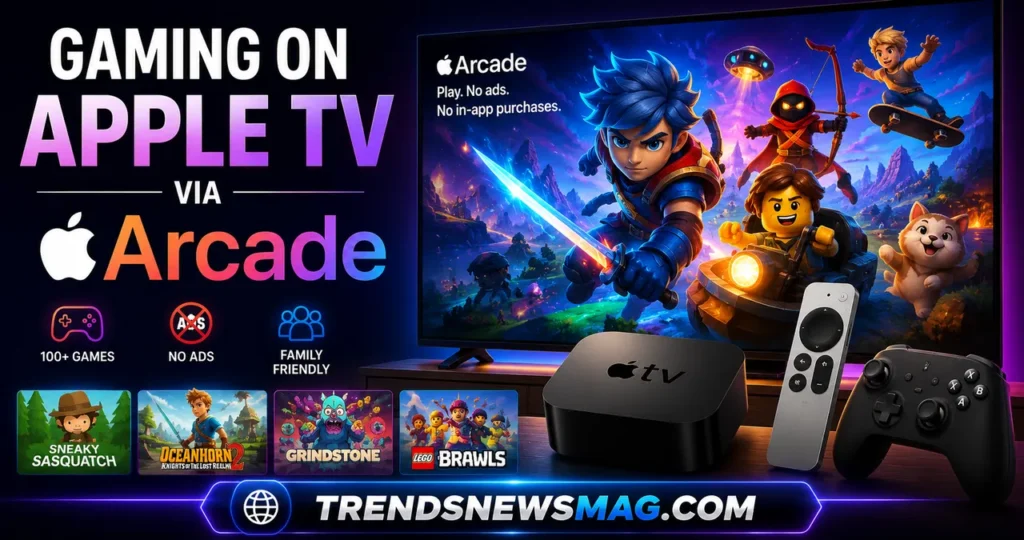
Streaming boxes are rarely thought of as gaming platforms first, but this particular hardware has quietly built a respectable library through Apple Arcade, a subscription gaming service bundled into that larger discounted plan mentioned earlier. Titles range from casual puzzle games perfect for short sessions to more involved role-playing games and platformers that rival console-quality production values, all playable using either the included remote or a compatible Bluetooth controller for a more traditional gaming feel.
The appeal here lies in accessibility rather than raw power. Nobody should expect this hardware to compete with a dedicated gaming console running the latest graphically demanding blockbuster releases, and comparing it that way misses the point entirely. Instead, it fills a niche for families who want light gaming options without investing in a separate console, or for casual players who enjoy a relaxing puzzle game after dinner without booting up an entirely different device. Cross-platform save syncing means progress made on an iPhone during a commute picks up exactly where it left off once continued on the television later that evening, a convenience that dedicated consoles simply cannot replicate since they exist as isolated systems.
Parents in particular tend to appreciate this gaming layer because Arcade titles are curated without the aggressive microtransactions and intrusive advertising common in mobile app stores. A game reviewer once remarked that the curated approach “feels like walking into a toy store where every shelf has already been checked for quality,” which resonates with families tired of navigating predatory in-app purchase systems designed to squeeze money from young players who don’t fully understand what they’re clicking.
Apple TV for Families and Parental Controls
Family-friendly design extends well beyond gaming curation into a fairly robust set of parental control tools built directly into the settings menu. Screen Time restrictions, originally designed for iPhones and iPads, extend to this hardware as well, allowing parents to set content ratings, limit app usage by time of day, and restrict purchases without requiring a separate password entry every single time. This centralized approach means parents managing multiple devices across a household don’t need to configure restrictions separately for every single screen their children might use.
Content restrictions can be tailored by individual profile too, which matters significantly in blended households or homes with children spanning a wide age range. A ten-year-old and a sixteen-year-old have very different appropriate content thresholds, and being able to assign separate ratings limits per profile avoids the awkward compromise of either restricting older teens too much or exposing younger children to content meant for a more mature audience. Purchase approval requests can also route directly to a parent’s device, requiring explicit permission before any app download or in-app purchase completes, closing a loophole that has historically led to surprise credit card charges from children clicking through unfamiliar purchase prompts.
Beyond restrictions, the family sharing setup allows up to six family members to share purchased apps, subscriptions, and even the original programming library under a single household plan rather than requiring everyone to pay separately. This kind of shared access model tends to appeal strongly to larger families or households with adult children still living at home, since the cost savings compound quickly compared to maintaining individual accounts for every family member.
Tips and Tricks to Get the Most Out of Apple TV
Even longtime owners often miss features buried a few menu layers deep that could meaningfully improve their daily experience. Adjusting the automatic app switching behavior, for instance, keeps recently used apps running in the background for faster reopening, though it does consume slightly more processing resources in exchange for that speed. Toggling this setting off can occasionally resolve minor performance sluggishness on older hardware generations that struggle to juggle too many background processes simultaneously.
Screensaver customization is another underused feature worth exploring, since the default aerial footage of cities and landscapes can be swapped for personal photo memories synced from iCloud, turning idle screen time into a rotating slideshow rather than generic stock footage. This small personalization touch surprises guests more often than expected and adds a warmth to the living room setup that purely functional streaming boxes rarely achieve. Combining this with the “For You” suggestion algorithm inside the TV app, which pulls recommendations across multiple installed streaming services rather than just Apple’s own catalog, helps surface content that might otherwise get lost across a dozen separate apps nobody wants to browse individually.
For anyone juggling multiple streaming subscriptions, the Up Next queue inside the TV app deserves more attention than it typically receives. Adding shows from supported third-party apps into this unified queue means less time spent remembering which app hosts which show and more time actually watching. It’s not a perfect system since not every streaming service participates fully in that integration, but for the services that do support it, the convenience genuinely reduces the mental overhead of managing a fragmented streaming lifestyle across five or six different apps competing for attention on the same home screen.
Common Apple TV Problems and Troubleshooting
No piece of technology is entirely free of hiccups, and this hardware has its share of recurring complaints worth addressing honestly rather than glossing over. Remote connectivity issues occasionally crop up, particularly with older Bluetooth remotes losing pairing after a power outage or router reset, though a simple unplug-and-replug of the box itself usually resolves the disconnect within a minute or two. Keeping the remote firmware updated through the settings menu also prevents a lot of these minor annoyances before they even start.
App crashes, while relatively rare compared to budget streaming sticks, do happen occasionally, especially immediately following a tvOS software update before app developers have fully optimized their software for the new operating system version. Force-quitting the problematic app by double-clicking the home button and swiping it away, then reopening it fresh, typically clears up whatever temporary glitch caused the freeze. For more persistent issues, a full restart through the settings menu rather than simply unplugging the power cable tends to resolve deeper software conflicts more reliably, since a proper restart clears cached data that a hard power cycle sometimes leaves behind.
Network-related slowdowns represent probably the most common complaint, though this usually traces back to home Wi-Fi congestion rather than any fault with the hardware itself. Positioning the router closer to the streaming setup, switching to a 5GHz band where available, or running an ethernet cable directly to the box for a wired connection all noticeably improve streaming reliability, particularly for 4K content that demands significantly more consistent bandwidth than standard definition streams ever required. A support technician summarized it simply: “Nine times out of ten, what looks like a broken box is actually just a router struggling to keep up,” which lines up with what most troubleshooting forums report as the actual root cause behind buffering complaints.
Related Guides:
- Best Streaming Devices for 4K HDR TVs (2026 Guide)
- How to Fix Apple TV Remote Not Working (15 Proven Fixes)
Is Apple TV Worth the Investment in 2026
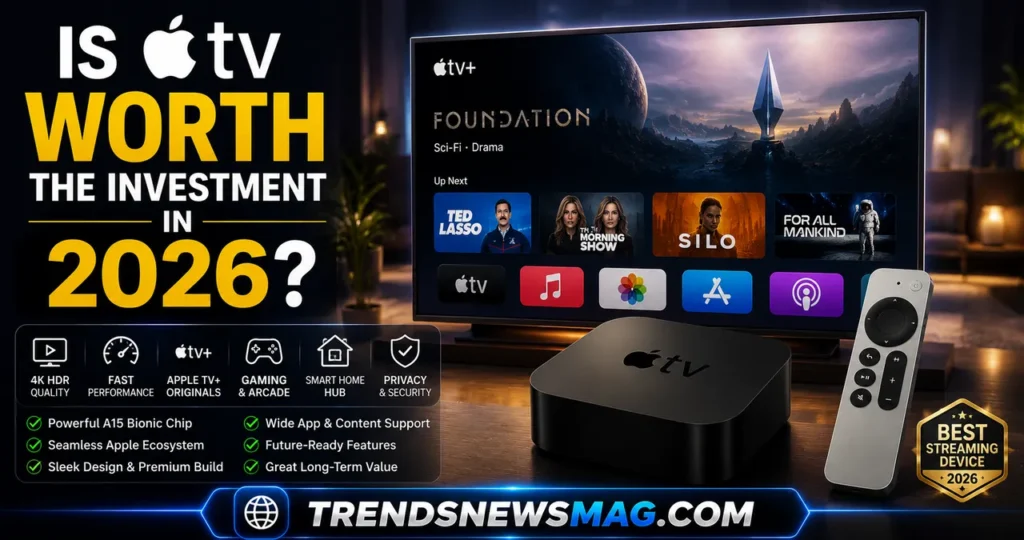
Weighing whether to invest in this hardware and its accompanying subscription really depends on existing habits and how deeply someone has already committed to Apple’s broader ecosystem. For a household already surrounded by iPhones, iPads, and a Mac or two, the seamless handoff features and unified purchase history make the premium price feel justified almost immediately after the first week of use. The convenience compounds over time rather than being a one-time novelty that wears off, which is exactly the kind of long-term value that’s hard to quantify in a simple spec sheet comparison against cheaper alternatives.
For households without existing Apple devices, the calculation shifts considerably. Paying a premium purely for a streaming box without any of the ecosystem benefits makes less financial sense when cheaper alternatives from Roku or Google deliver comparable access to the same major streaming apps most people actually use daily. In that scenario, the deciding factor often comes down to whether the original programming library itself, with its acclaimed dramas and growing sports coverage, holds enough personal appeal to justify a standalone subscription regardless of which hardware ends up under the television.
Conclusion
Bringing everything together, this platform occupies a genuinely distinct position in a crowded streaming landscape. The hardware delivers a polished, responsive experience that rewards users already invested in Apple’s broader device ecosystem, while the subscription service carves out a smaller but consistently high-quality library built almost entirely around original content rather than recycled licensing deals. Neither element demands to be the biggest or the most feature-packed option on the market, and that restraint is arguably the point rather than a weakness worth criticizing.
Anyone deciding whether this fits their household should weigh existing device ownership, budget flexibility, and personal taste in programming rather than simply chasing whichever option currently tops a review roundup. Casual streamers with tight budgets and no other Apple products will likely find better value elsewhere, while families already surrounded by iPhones and iPads will find the investment pays for itself through convenience alone. For further technical details on setup and troubleshooting straight from the source, Apple’s own official support documentation remains the most reliable and consistently updated reference available.
FAQs
Does Apple TV require a subscription to use the hardware?
No, owning the physical streaming box does not automatically require paying for the original programming subscription. The hardware functions as a general-purpose streaming hub capable of running Netflix, Disney+, Hulu, and dozens of other apps without ever touching Apple’s own content library. The subscription only becomes necessary if someone specifically wants access to exclusive original shows and films produced under that particular service, meaning budget-conscious buyers can absolutely use the box purely as a neutral streaming gateway without ever paying a recurring content fee.
How does Apple TV compare to just using a smart TV’s built-in apps?
Built-in smart TV operating systems have improved considerably over the years, but they still tend to lag behind dedicated streaming hardware in terms of processing speed, app update frequency, and overall interface responsiveness. A television’s internal chip is rarely as powerful as a dedicated streaming box’s processor, which means menus can feel sluggish and apps sometimes fall behind on features compared to their standalone counterparts. Choosing external hardware over relying solely on a smart TV’s built-in software generally results in a noticeably smoother day-to-day experience, particularly as the television itself ages and its software support gradually falls behind newer app requirements.
Can multiple family members use different profiles on the same Apple TV device?
Yes, the hardware fully supports switching between individual Apple ID accounts, allowing each family member to maintain a separate viewing history, personalized recommendations, and app library on the same physical device. This proves especially useful in households where parents want to keep their own streaming recommendations separate from a child’s account, or where multiple adults share a living room television but prefer not to mix their individual app purchases and subscriptions together under one unified profile.
Is the Apple TV+ content library big enough compared to Netflix or Amazon Prime?
In terms of raw volume, the original programming library remains noticeably smaller than massive competitors like Netflix or Amazon Prime Video, both of which carry decades of licensed content alongside their own original productions. However, what the smaller library lacks in quantity it often makes up for in consistent quality, since nearly every title was produced with a meaningful budget and creative oversight rather than padding the catalog with filler content simply to inflate total numbers. Viewers who prioritize a curated, prestige-focused selection over sheer volume tend to find the trade-off entirely reasonable.
What happens if I cancel my Apple TV+ subscription but keep the hardware?
Canceling the subscription only removes access to the original programming content itself; the physical streaming hardware continues functioning completely normally for every other installed app, including Netflix, YouTube, Disney+, and any other streaming service already set up on the device. There’s no penalty or reduced functionality applied to the hardware itself simply because the content subscription has lapsed, meaning the box remains just as useful as a general streaming player even without an active subscription to Apple’s own programming.
Does Apple TV work well for gaming compared to a dedicated console?
While the hardware supports a genuinely enjoyable library of games through its bundled Arcade subscription, it was never designed to compete directly with dedicated gaming consoles built specifically for graphically intensive, high-performance titles. The gaming experience here works best for casual and family-friendly titles rather than demanding, competitive multiplayer games that require dedicated graphics hardware. Anyone seeking console-level gaming performance should treat this hardware as a pleasant bonus feature rather than a replacement for a purpose-built gaming system.
Trending Today: Verizon Google Billion Dollar Deal
Related Guides: