Best Streaming Devices for 4K HDR TVs in 2026: The Complete Buyer’s Guide for True Cinematic Picture Quality

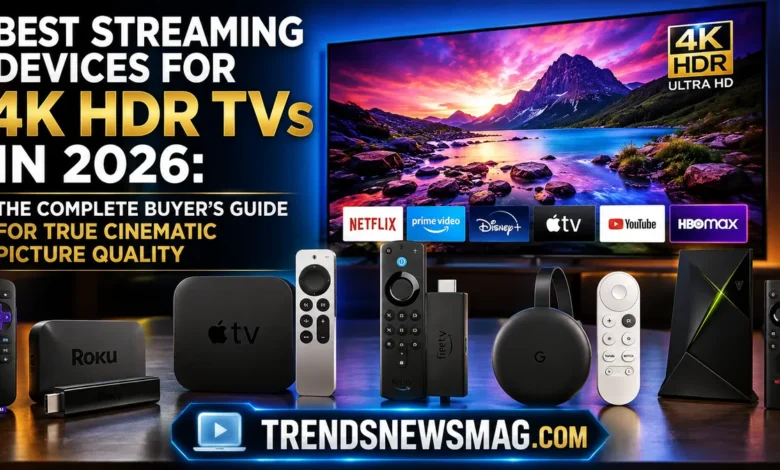
If you just spent good money on a 4K HDR television, there’s a good chance you’re watching it through a device that isn’t doing it justice. It happens more often than people realize. You bring home a gorgeous new TV, plug in whatever streaming stick came bundled with your old setup or grab the cheapest dongle from a big-box store, and then wonder why your picture looks flat, washed out, or oddly soft during action scenes. The truth is that the television itself is only half the equation. The other half — arguably the more overlooked half — is the streaming device feeding it content. Choosing among the best streaming devices for 4K HDR TVs isn’t a trivial decision anymore; it’s the difference between watching a movie and actually experiencing it the way the filmmakers intended.


This guide exists because the streaming device market has become genuinely confusing. There are dongles, boxes, TV-stick hybrids, and smart TV operating systems all promising “4K HDR support,” yet the real-world experience varies wildly between them. Some devices technically support HDR10 but choke on Dolby Vision. Others handle Dolby Vision beautifully but stutter on bandwidth-heavy 4K streams from certain apps. A few are fast and gorgeous but cost a small fortune, while some budget options quietly outperform devices twice their price. We’re going to walk through everything that matters: what HDR actually does to your picture, how each major streaming device performs in real use, which one fits your specific viewing habits, and how to avoid the common traps that leave people with beautiful TVs and mediocre streaming experiences.
Why Your 4K HDR TV Deserves a Better Streaming Device
A 4K HDR television is capable of producing an enormous range of color and contrast — deep blacks that don’t crush into gray, whites that don’t blow out into a flat glare, and colors that look closer to what your eyes see in real life than what a standard television could ever reproduce. But none of that potential matters if the device sending the signal to your TV can’t process or transmit that information properly. This is the part most people miss. HDR isn’t just a checkbox; it’s a data-rich signal that requires proper decoding, proper bandwidth, and proper handshake protocols between the source device and the display.
Think of it this way: your 4K HDR TV is like a world-class printing press capable of reproducing photographs in stunning, lifelike detail. But if you feed that press a blurry, low-resolution scan, it doesn’t matter how advanced the press is — the output will still look mediocre. Streaming devices are the “file” being sent to your television’s “printing press.” A device that only outputs standard dynamic range, or one that struggles to maintain a stable 4K bitrate during a busy scene, will bottleneck everything your expensive television is capable of. This is precisely why finding one of the best streaming devices for 4K HDR TVs matters so much more than people initially assume when they’re focused purely on the TV purchase itself.
There’s also a practical, everyday-use angle to this. A quality streaming device doesn’t just affect picture quality — it affects how pleasant the entire experience feels. Menu navigation, app loading speed, voice search accuracy, and the ability to jump between apps without lag all come down to the processor and software inside that little box or stick. Cheap, underpowered devices tend to feel sluggish within six months as apps get more demanding, while a genuinely good streaming device can remain snappy and responsive for years. When you’re comparing options, remember that you’re not just buying picture quality — you’re buying the daily user experience that determines whether movie night feels effortless or frustrating.
What Makes a Streaming Device Truly Compatible With 4K HDR
Not every device that claims “4K HDR” delivers the same experience, and understanding why requires a quick look under the hood. First, there’s resolution — the device needs a chipset capable of decoding and outputting a genuine 3840×2160 signal, not upscaling a lower-resolution stream and calling it 4K. Second, there’s HDR format support, which is where things get genuinely tricky. HDR isn’t one single standard; it’s a family of competing formats, including HDR10, HDR10+, Dolby Vision, and occasionally HLG (Hybrid Log-Gamma) for broadcast content. A streaming device might support one or two of these formats but not the others, and that gap can noticeably affect picture quality depending on which streaming service and which specific piece of content you’re watching.
Bandwidth handling is the next piece of the puzzle. A 4K HDR stream carries significantly more data than a standard 1080p stream, and the device needs a stable, efficient way of decoding that data without dropping frames or introducing compression artifacts. This is closely tied to the device’s HDMI output version — HDMI 2.1 supports significantly higher bandwidth than HDMI 2.0, which matters for advanced features like variable refresh rate and higher frame-rate HDR content, even though most current streaming apps don’t fully push those limits yet. Still, having the headroom future-proofs your setup.
Then there’s the audio side of things, which people often forget when evaluating the best streaming devices for 4K HDR TVs. Devices that support passthrough for Dolby Atmos or DTS:X audio formats give you a genuinely cinematic soundstage when paired with a compatible sound system, whereas devices without that passthrough capability will downmix your audio into a flatter, less immersive format. Finally, there’s color depth — specifically 10-bit or 12-bit color processing, which is essential for HDR to render its full spectrum of shades without visible banding in gradients like sunsets or smoky rooms. All of these technical pieces have to work together seamlessly, and that’s exactly where the differences between streaming devices become apparent in daily use.
Apple TV 4K: The Premium Choice for Seamless 4K HDR Streaming
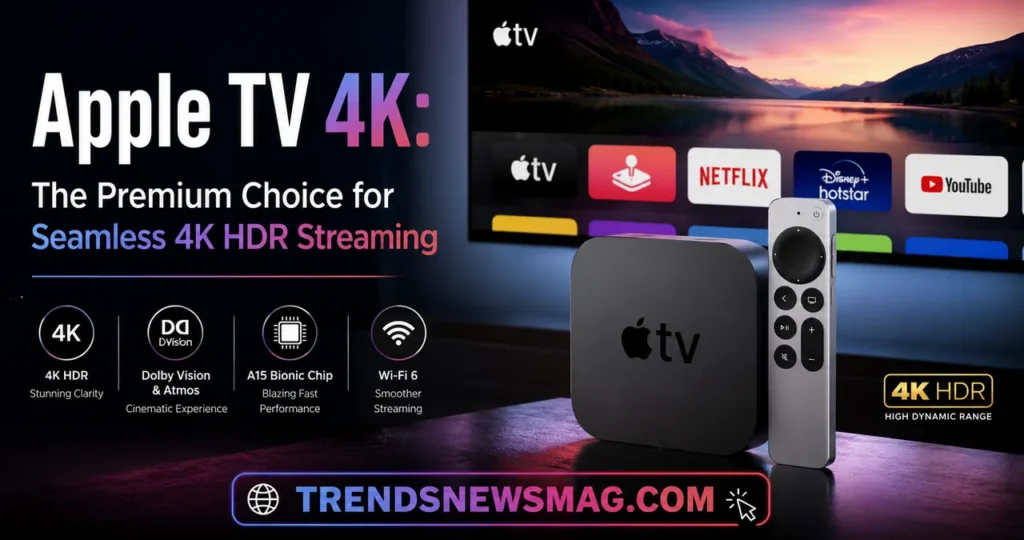
The Apple TV 4K has consistently been treated as the benchmark against which other streaming devices are measured, and for good reason. It supports Dolby Vision, HDR10, and HLG, along with Dolby Atmos audio passthrough. If you want a complete breakdown of Apple’s streaming hardware, subscription platform, and ecosystem, check out our Apple TV Explained Guide. Its A-series chip (borrowed from Apple’s iPhone and iPad lineup) gives it processing headroom that most competitors simply don’t have. That extra power translates into something you feel rather than something you read on a spec sheet — apps open almost instantly, menus animate smoothly, and there’s essentially zero lag when jumping between Netflix, Disney+, or Apple TV+.
One feature that genuinely sets the Apple TV 4K apart is its automatic color balance calibration using an iPhone’s camera and light sensors. Point your iPhone at the screen during setup, and the Apple TV analyzes your TV’s color and brightness output, then fine-tunes the picture to match reference standards more accurately. This is a level of thoughtful engineering that most competing devices don’t attempt, and it noticeably improves color accuracy right out of the box without requiring you to dig through calibration menus manually.
The trade-off, of course, is price. The Apple TV 4K sits at the higher end of the streaming device market, and its remote — while improved over previous generations — still isn’t universally loved by everyone. For users deeply embedded in Apple’s ecosystem, with an iPhone, AirPods, and HomePod already in the mix, the integration benefits are substantial: AirPlay from your phone directly to your TV, seamless handoff between devices, and tight integration with Apple’s privacy-focused approach to data. For non-Apple households, though, some of that appeal diminishes, and you might find better value elsewhere. Still, when people ask which single device represents the gold standard among the best streaming devices for 4K HDR TVs, the Apple TV 4K remains one of the most frequently recommended answers among home theater enthusiasts and professional reviewers alike.
Google TV Streamer: The Best All-Around Value Pick
Google’s streaming hardware, now branded as the Google TV Streamer, replaced the long-running Chromecast line and represents a genuine leap forward in both hardware capability and software polish. It supports Dolby Vision, HDR10+, and HDR10, giving it broader HDR format coverage than some competitors, and its interface does an impressive job of aggregating content across multiple streaming services into a single, unified recommendation feed. Instead of jumping between five different apps to find something to watch, the Google TV interface pulls suggestions from your subscribed services directly onto the home screen.
What makes this device particularly compelling for most households is its balance of price and performance. It isn’t the fastest chip on the market, but it’s more than capable of handling demanding 4K HDR content without stutter, and the software experience feels considerably more refined than earlier Chromecast generations. Google Assistant integration means voice search works remarkably well, letting you say something as vague as “show me action movies from the 90s” and getting genuinely relevant results back within a second or two.
There’s also a practical advantage for households with a mix of devices — Android phone users, smart home gadgets running on Google’s ecosystem, and Nest products all tie together more smoothly with a Google TV Streamer in the mix. It functions as a hub, not just a playback device, letting you view security camera feeds, control smart lights, and check the weather without leaving your living room couch. For shoppers comparing the best streaming devices for 4K HDR TVs on a budget that still don’t want to compromise heavily on features, the Google TV Streamer strikes an unusually good balance, and it rarely disappoints in day-to-day use.
Roku Ultra: Best for Simplicity and Universal App Support
Roku built its reputation on being refreshingly straightforward, and the Roku Ultra continues that tradition while adding enough horsepower to properly handle 4K HDR content. It supports Dolby Vision, HDR10, and HLG, and its interface remains one of the simplest, most beginner-friendly layouts in the entire streaming device category. There’s no algorithmic clutter pushing content you didn’t ask for; instead, you get a clean grid of app icons and get on with your evening.
One underrated strength of the Roku ecosystem is its sheer breadth of app availability. Roku has spent years cultivating relationships with content providers, which means it often has access to niche streaming apps and regional services that other platforms haven’t bothered supporting yet. If you subscribe to smaller or specialty streaming services beyond the usual Netflix and Disney+ lineup, there’s a good chance Roku has you covered when other platforms don’t. The Roku Ultra also includes a headphone jack built directly into its remote, letting you watch television privately at 2 a.m. without disturbing anyone else in the house — a small feature, but one that longtime Roku users genuinely appreciate.
Performance-wise, the Roku Ultra holds its own against pricier competitors. If you are torn between Roku and Apple’s flagship box, read our in-depth comparison on Apple TV 4K vs Roku Ultra 2026 to see which one fits your living room. When it comes to actual 4K HDR playback quality. Where it occasionally lags behind is raw processing speed for more demanding tasks, like gaming through cloud services or juggling multiple resource-heavy apps simultaneously. But for the core use case — watching movies and shows in properly rendered 4K HDR without a complicated learning curve — the Roku Ultra remains a dependable, no-nonsense choice among the best streaming devices for 4K HDR TVs, especially for households that just want things to work without a fuss.
Amazon Fire TV Stick 4K Max: Best Budget Powerhouse
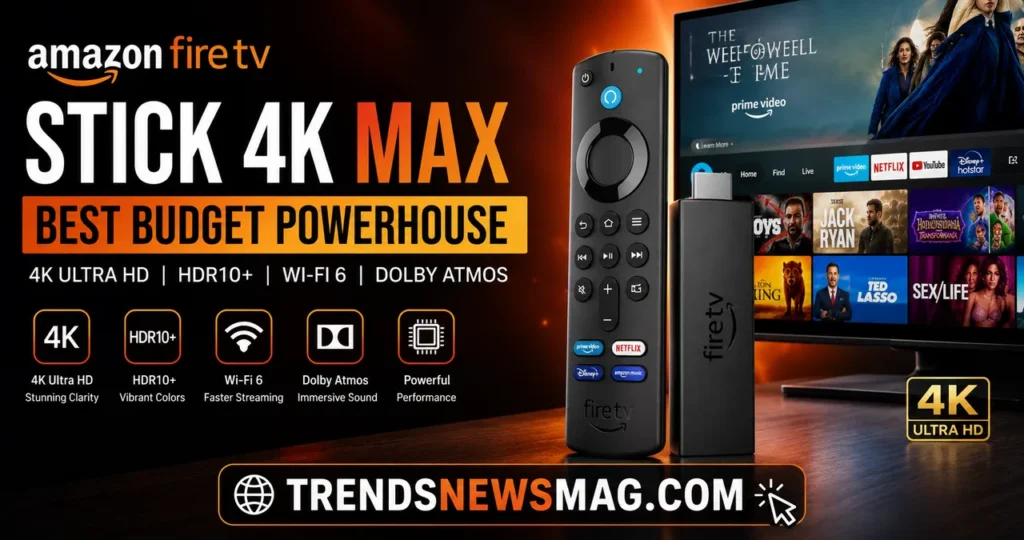
Amazon’s Fire TV Stick 4K Max punches noticeably above its price point, offering Dolby Vision, HDR10+, and HLG support along with Wi-Fi 6E connectivity that helps maintain a stable 4K stream even in homes with congested networks. For the price, it’s genuinely difficult to find another device that matches its combination of speed and HDR format coverage. Amazon has clearly invested in making this a legitimate contender rather than a stripped-down budget afterthought.
The Fire TV interface leans heavily into promoting Amazon’s own content and Prime Video, which is a fair criticism some users raise, but functionally the platform performs admirably across third-party apps too. Alexa voice control is built directly into the remote, letting you search, launch apps, and control smart home devices through voice commands with impressive accuracy. If you already own Echo speakers or other Alexa-enabled smart home products, the Fire TV Stick 4K Max integrates into that ecosystem with almost no friction, turning your living room setup into a genuinely connected hub rather than a collection of separate gadgets.
Where this device particularly shines is in situations where budget matters but compromise isn’t acceptable. Families setting up a second or third TV in the house — a bedroom, a guest room, a home office — often gravitate toward the Fire TV Stick 4K Max because it delivers premium-feeling 4K HDR performance without the premium price tag attached to devices like the Apple TV 4K. It’s a compelling reminder that among the best streaming devices for 4K HDR TVs, price and quality don’t always move in lockstep, and savvy shoppers can find genuine value without settling for a lesser visual experience.
NVIDIA Shield TV Pro: Best for Power Users and Gamers
The NVIDIA Shield TV Pro occupies a slightly different niche than the other devices on this list. It’s built for people who want more than passive streaming — gamers who want cloud gaming through NVIDIA’s GeForce NOW service, tech enthusiasts who want the ability to sideload apps and tinker with settings, and anyone chasing the absolute best possible picture and audio processing available on a streaming device. It supports Dolby Vision and HDR10, along with Dolby Atmos and DTS:X audio passthrough, and its Tegra processor remains one of the most powerful chips found in any consumer streaming device even years after its release.
What separates the Shield TV Pro from more mainstream options is its AI-enhanced upscaling technology, which uses machine learning models to sharpen and enhance lower-resolution content when it’s played on a 4K display. Older shows, older movies, and lower-bitrate streams all benefit from this processing in ways that competing devices simply can’t replicate, since most other streaming boxes rely on more basic upscaling algorithms. For cinephiles who watch a mix of modern 4K content and older catalog titles, this feature alone can be a significant draw.
The Shield TV Pro isn’t for everyone, though. Its interface, built on Android TV, can feel more cluttered and less intuitive than Roku’s minimalist approach or Apple’s polished simplicity, and its price sits closer to premium territory despite lacking some of the ecosystem integration that makes Apple TV so appealing to iPhone users. But for the specific audience of gamers, tinkerers, and quality-obsessed viewers, it remains one of the most technically impressive entries among the best streaming devices for 4K HDR TVs, offering capabilities that go well beyond simple app streaming.
Comparing the Top Streaming Devices for 4K HDR TVs
Seeing these devices laid out side by side makes the trade-offs much clearer, especially when you’re trying to match a device to your specific household needs rather than just chasing the highest spec sheet.
| Device | HDR Formats Supported | Audio Passthrough | Best For | Approx. Price Range |
|---|---|---|---|---|
| Apple TV 4K | Dolby Vision, HDR10, HLG | Dolby Atmos | Apple ecosystem users, best overall polish | Premium |
| Google TV Streamer | Dolby Vision, HDR10+, HDR10 | Dolby Atmos | Best value, unified content discovery | Mid-range |
| Roku Ultra | Dolby Vision, HDR10, HLG | Dolby Atmos | Simplicity, widest app availability | Mid-range |
| Fire TV Stick 4K Max | Dolby Vision, HDR10+, HLG | Dolby Atmos | Budget-conscious buyers, Alexa households | Budget |
| NVIDIA Shield TV Pro | Dolby Vision, HDR10 | Dolby Atmos, DTS:X | Gamers, power users, AI upscaling | Premium |
As one home theater installer put it during a recent conversation about client setups, “People obsess over the TV panel technology and then plug in whatever streaming stick was lying around, and that’s usually where the picture quality falls apart.” That sentiment captures exactly why this comparison matters — the device you choose has a direct, measurable impact on what you actually see and hear, regardless of how advanced your television’s panel technology might be.
Dolby Vision vs HDR10+ vs HDR10: What Streaming Devices Support
Understanding the differences between HDR formats is essential to making a smart purchase, because not all HDR is created equal. HDR10 is the baseline, most widely supported format, using static metadata that sets brightness and color values for an entire piece of content from start to finish. It’s a solid foundation, but because the metadata doesn’t change scene by scene, HDR10 can sometimes struggle to optimize both a very bright outdoor scene and a very dark indoor scene within the same movie without some compromise.
Dolby Vision and HDR10+ solve this problem using dynamic metadata, which adjusts brightness and color information scene by scene, or even frame by frame in some implementations. This means a movie can render a blindingly bright desert scene and a moody, shadow-filled interior scene minutes later, each optimized individually rather than using one blanket setting for the whole film. Dolby Vision has broader adoption among streaming services and physical media, while HDR10+ has strong backing from Amazon and Samsung, creating something of a format war reminiscent of Blu-ray versus HD DVD, though thankfully less consumer-hostile since most modern TVs and devices try to support multiple formats simultaneously.
This is precisely why format support matters so much when evaluating the best streaming devices for 4K HDR TVs. A device that only supports HDR10 will still produce a good picture, but it won’t unlock the full dynamic range potential that Dolby Vision or HDR10+ content was mastered to deliver. If you’re a Netflix subscriber, for example, a substantial portion of their premium content library is mastered in Dolby Vision, so a device lacking that support means you’re technically watching a compressed, lesser version of what’s actually available. According to the technical overview on Wikipedia’s page on high-dynamic-range television, dynamic metadata formats represent one of the most significant advances in consumer display technology of the past decade, which underscores why choosing a device with broad format support genuinely matters rather than being a marketing footnote.
Related Guides:
How to Choose the Right Streaming Device Based on Your Needs
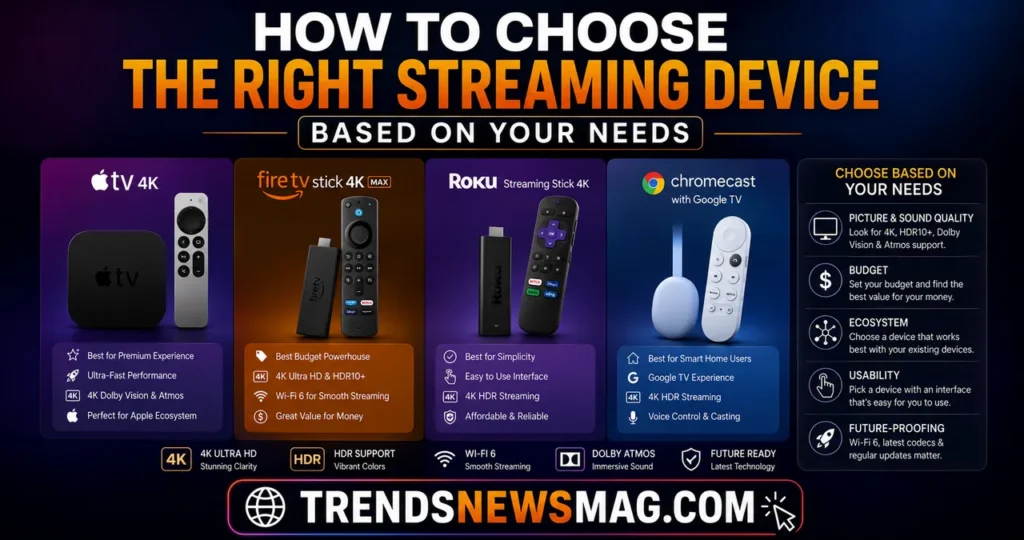
There’s no universal “best” answer here, because the right choice depends heavily on your existing habits, your household’s tech ecosystem, and what you actually watch. If you’re deeply invested in Apple products — an iPhone in your pocket, a MacBook on your desk, AirPods in your ears — the Apple TV 4K’s seamless integration will save you enough daily friction to justify its higher price tag. The convenience of AirPlay, Continuity features, and consistent design language across devices adds up over months and years of use in ways that are hard to quantify on a spec sheet but easy to feel in practice.
If budget is a genuine constraint, or you’re setting up a secondary television in a bedroom or guest room, the Fire TV Stick 4K Max delivers surprisingly premium performance without the premium price. It’s not the flashiest option, but it consistently over-delivers relative to its cost, and for many households, that value proposition matters more than chasing marginal performance gains from pricier alternatives. Similarly, if you already own several Echo devices or rely heavily on Alexa for smart home control, sticking within that ecosystem creates a smoother overall experience than mixing and matching voice assistants across different rooms.
Gamers and tech enthusiasts who want more than passive content consumption should lean toward the NVIDIA Shield TV Pro, particularly if cloud gaming through GeForce NOW appeals to you, or if you want the flexibility to sideload apps and customize your setup beyond what more locked-down platforms allow. Meanwhile, households that simply want a clean, distraction-free interface with the widest possible app availability — including regional or niche streaming services — tend to be happiest with a Roku Ultra. And if you want a strong middle-ground option that balances price, performance, and smart home integration without leaning too hard into any single ecosystem, the Google TV Streamer is difficult to beat. Matching the device to your actual lifestyle, rather than simply buying whatever ranks highest on a spec comparison chart, is the real key to satisfaction here.
Setup Tips to Get the Most Out of Your 4K HDR Streaming Device
Buying one of the best streaming devices for 4K HDR TVs is only half the battle; setting it up correctly determines whether you actually experience the picture quality improvement you paid for. The single most common mistake people make is using an outdated or low-quality HDMI cable. Older HDMI cables, particularly those rated below HDMI 2.0, can bottleneck bandwidth and either strip HDR metadata entirely or cause the connection to intermittently drop, resulting in a flickering or dull picture that has nothing to do with the streaming device itself. Investing in a certified “Premium High Speed” or “Ultra High Speed” HDMI cable eliminates this issue almost entirely and costs relatively little compared to the device itself.
Next, dig into your television’s HDMI input settings. If you specifically chose an Apple box for your display, follow our beginner-friendly tutorial on How to Setup Apple TV+ on Smart TVs to get running in minutes. Many modern TVs default their HDMI ports to a standard mode that doesn’t pass through the full bandwidth required for 4K HDR at higher frame rates. Look for a setting often labeled “Enhanced,” “HDMI 2.1,” “UHD Color,” or something similar in your TV’s input or general settings menu, and make sure it’s enabled specifically on the port your streaming device is connected to. Skipping this step is astonishingly common and leads to countless unnecessary support calls and forum complaints about “broken” HDR that’s actually just a disabled setting.
Finally, take the time to run through your streaming device’s display output settings manually rather than trusting the automatic detection entirely. Confirm that the resolution is locked to 4K, that HDR or Dolby Vision is enabled and detected properly, and that the color format is set appropriately, usually YCbCr 4:2:0 or 4:4:4 depending on your specific TV and cable capabilities. A quick calibration using your TV’s built-in test patterns, or a dedicated calibration disc if you’re particularly detail-oriented, can further fine-tune brightness and contrast levels to match your specific viewing environment. These steps take maybe fifteen minutes total, but they represent the difference between a mediocre HDR experience and the genuinely stunning picture quality your television and streaming device are actually capable of producing together.
Common Mistakes People Make When Buying Streaming Devices
One of the most frequent mistakes is assuming that a smart TV’s built-in operating system is just as good as a dedicated streaming device, so there’s no need to buy anything separately. While smart TV platforms have improved significantly over the years, they’re still generally built on less powerful hardware than dedicated streaming devices, since manufacturers prioritize display technology over processing power when designing a television. This means smart TV apps can feel sluggish, receive software updates less frequently, and sometimes get abandoned by developers entirely a few years after the TV’s release, leaving you stuck with outdated app versions or missing features.
Another common misstep is focusing exclusively on resolution while ignoring HDR format compatibility entirely. Someone might proudly announce their new streaming device supports “full 4K,” without realizing it lacks Dolby Vision or HDR10+ support, meaning a significant portion of premium streaming content will play in a visually inferior mode without the buyer even realizing anything is missing. This is precisely why understanding format support, not just resolution numbers, is essential when comparing the best streaming devices for 4K HDR TVs — the marketing language around “4K” can obscure meaningful differences in actual picture quality delivery.
A third mistake involves underestimating how much processing power actually matters for long-term satisfaction. A streaming device might feel perfectly snappy on day one, but as apps receive updates and become more resource-intensive over time, underpowered hardware starts to show its age within a year or two, resulting in slower load times, occasional freezing, and a generally frustrating experience. Spending slightly more upfront for a device with a more capable processor — like the Apple TV 4K or NVIDIA Shield TV Pro — often pays off in longevity, sparing you from replacing a “budget” device sooner than expected simply because it couldn’t keep pace with evolving software demands.
Future of 4K HDR Streaming Technology
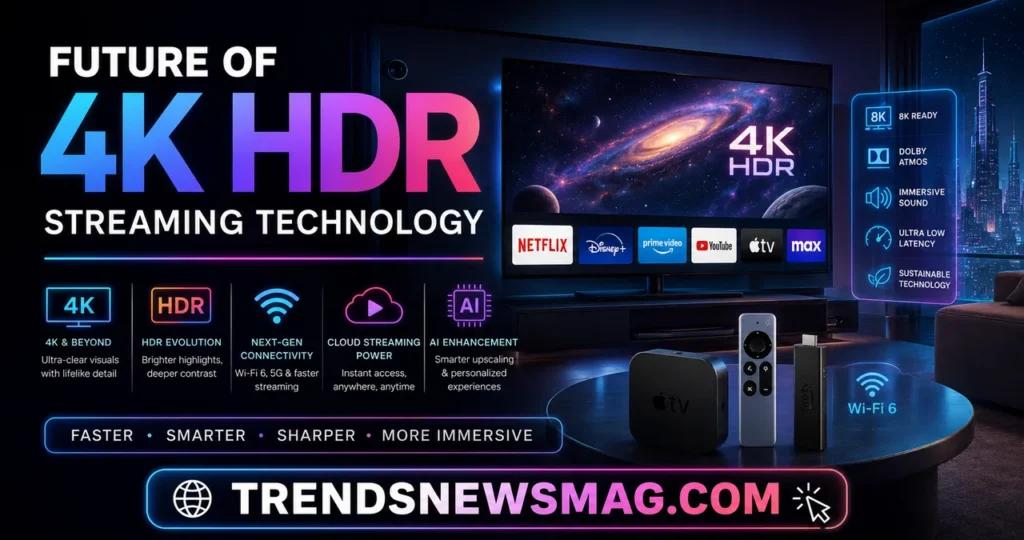
The streaming device landscape isn’t standing still, and understanding where things are headed helps make a more informed purchase today. HDMI 2.1’s full feature set — including higher bandwidth ceilings, variable refresh rate support, and quick media switching — is gradually becoming standard across newer streaming devices, which will matter increasingly as streaming services begin experimenting with higher frame-rate HDR content and more demanding visual formats. Devices purchased today with HDMI 2.1 support are simply better positioned to handle whatever content standards emerge over the next several years without requiring another upgrade.
AI-driven upscaling and picture enhancement, something the NVIDIA Shield TV Pro has pioneered among consumer streaming devices, is likely to become far more common across the entire category. As machine learning models become more efficient and require less processing overhead, expect to see similar enhancement technology appear in more affordable devices from Roku, Amazon, and Google over the coming product cycles. This matters enormously for anyone with a large library of older, lower-resolution content, since better upscaling technology can breathe new visual life into shows and movies that were never mastered with 4K HDR in mind.
There’s also a broader industry push toward format unification, with more devices and more content providers supporting multiple HDR standards simultaneously rather than forcing consumers to pick a side in a format war. This trend benefits everyone, reducing the technical complexity buyers need to navigate when researching the best streaming devices for 4K HDR TVs and making it more likely that whatever device you choose will properly render whatever content you want to watch, regardless of which HDR format that particular title happens to use. As one industry analyst noted in a recent trade publication, “Consumers shouldn’t need a technical degree to enjoy the content they’re already paying for,” and the industry’s gradual movement toward broader format compatibility across devices reflects exactly that sentiment finally taking hold.
Conclusion
Choosing among the best streaming devices for 4K HDR TVs ultimately comes down to understanding your own viewing habits and matching them honestly against what each device does particularly well. The Apple TV 4K remains the polished, premium choice for those embedded in Apple’s ecosystem. The Google TV Streamer offers an excellent balance of price, performance, and smart content discovery for most households. Roku Ultra continues to win over users who value simplicity and the widest possible app selection. The Fire TV Stick 4K Max proves that budget-friendly doesn’t have to mean compromised quality, and the NVIDIA Shield TV Pro remains the top pick for gamers and enthusiasts chasing the most technically advanced streaming experience available.
What matters most, regardless of which device you ultimately choose, is understanding that your 4K HDR television’s true potential depends just as much on the device feeding it content as it does on the display technology itself. A thoughtful pairing of television and streaming device, combined with a properly configured HDMI connection and correctly enabled TV settings, unlocks a genuinely different viewing experience compared to a mismatched or under-optimized setup. For further reading on the technical foundations behind these display technologies, resources like Forbes’ detailed breakdown of HDR television technology offer additional depth for readers who want to dig even further into the underlying science before making their final purchase decision.
FAQs
Do I need a separate streaming device if my TV already has smart features built in?
In most cases, yes, particularly if you want the best possible performance and the widest, most consistently updated app selection. Built-in smart TV platforms are typically powered by less capable processors than dedicated streaming devices, since manufacturers allocate most of their budget toward display quality rather than internal computing hardware. Over time, this often results in slower app loading, delayed software updates, and occasionally abandoned app support, whereas dedicated streaming devices tend to receive more frequent updates and better long-term performance. If you’re serious about getting the most from a 4K HDR display, pairing it with one of the best streaming devices for 4K HDR TVs rather than relying solely on built-in smart features is generally the smarter long-term choice.
What’s the actual difference between HDR10 and Dolby Vision in real viewing conditions?
The practical difference shows up most clearly in scenes with a wide range of brightness levels within the same piece of content. HDR10 uses static metadata, meaning brightness and color settings are applied uniformly across an entire movie or show, which can create minor compromises in scenes that mix very bright and very dark elements. Dolby Vision uses dynamic, scene-by-scene metadata instead, allowing for more precise adjustments throughout a film’s runtime, which often results in noticeably better shadow detail and highlight preservation. Most casual viewers can spot the difference during side-by-side comparisons, even if they can’t articulate exactly what’s different, which is why Dolby Vision support is such a valuable feature to prioritize when comparing the best streaming devices for 4K HDR TVs.
Can a cheap HDMI cable actually ruin my 4K HDR picture quality?
Yes, and this is one of the most underestimated issues in home theater setups. Older or lower-quality HDMI cables often can’t handle the bandwidth required for a stable 4K HDR signal, which can result in HDR metadata being stripped entirely, intermittent picture dropouts, or a generally duller image that has nothing to do with your streaming device or television’s actual capabilities. Investing in a certified Premium High Speed or Ultra High Speed HDMI cable is a small, inexpensive fix that eliminates this problem almost completely and ensures you’re actually seeing the picture quality your hardware is capable of producing.
Are more expensive streaming devices always better than budget options?
Not necessarily, and this is an important distinction for shoppers to understand. While premium devices like the Apple TV 4K and NVIDIA Shield TV Pro offer more processing power, additional features, and sometimes broader ecosystem integration, budget options like the Fire TV Stick 4K Max deliver a surprisingly large percentage of that performance at a fraction of the cost. The right choice depends on your specific priorities, whether that’s raw processing power, ecosystem integration, gaming capability, or simply getting excellent 4K HDR performance without overspending. Comparing the best streaming devices for 4K HDR TVs side by side, rather than assuming price directly correlates with satisfaction, usually leads to a smarter purchase decision.
How often should I replace or upgrade my streaming device?
Most quality streaming devices remain perfectly capable for three to five years before performance noticeably declines relative to newer software demands. Signs that it might be time for an upgrade include consistently slow app loading, apps crashing or freezing more frequently than they used to, a remote or interface that feels sluggish compared to newer devices you’ve used elsewhere, or your streaming services announcing they’ll no longer support your device’s older software version. Manufacturers also tend to phase out firmware updates for older hardware after a certain point, meaning a device that once received regular improvements may eventually stop getting new features or security patches altogether. If you’re noticing any of these signs, or if you’re simply upgrading to a new 4K HDR television with more advanced capabilities than your current setup supports, it’s usually worth investing in one of the newer best streaming devices for 4K HDR TVs rather than trying to stretch an aging device beyond its comfortable lifespan.
Related Guides: