Apple TV 4K vs Roku Ultra 2026: Which Streaming Box Actually Deserves a Spot Under Your TV?

Picking a streaming device used to be simple. You grabbed whatever was cheapest at the electronics store, plugged it in, and moved on with your life. That’s not really true anymore. The gap between a mediocre streaming experience and a genuinely great one has widened, and the box sitting behind your television now plays a bigger role in your daily life than most people realize. It’s the thing your kids fumble with every afternoon, the interface you stare at for twenty minutes trying to decide what to watch, and the piece of hardware quietly deciding how sharp your favorite show actually looks.

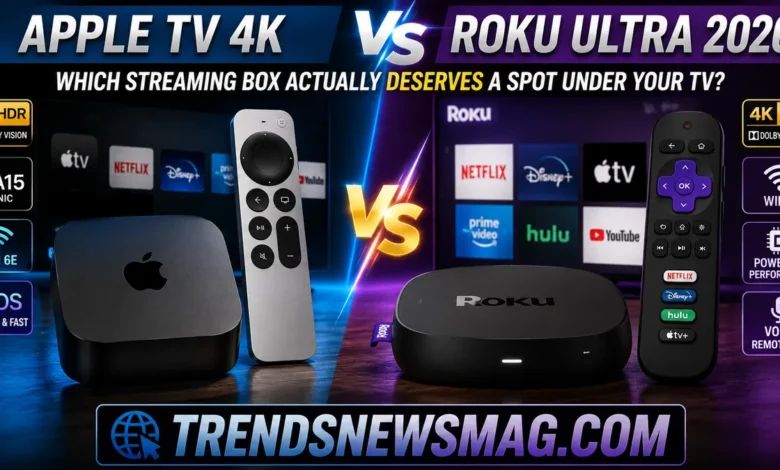
That’s exactly why the Apple TV 4K vs Roku Ultra 2026 debate keeps popping up in forums, comment sections, and group chats among people who just bought a new television and don’t know where to start. Both devices sit at the premium end of their respective lineups. Both promise 4K HDR playback, fast app switching, and a remote that doesn’t feel like an afterthought. But they come from completely different philosophies, and that difference matters a lot more than most spec sheets let on.
Apple builds its streaming box as a natural extension of an ecosystem you’re either already living inside or actively choosing to join. Roku, on the other hand, has spent over a decade positioning itself as the neutral party — the box that doesn’t care what phone you own, what smart speaker sits on your kitchen counter, or which services you subscribe to. Neither approach is wrong. But one of them is almost certainly wrong for you, specifically, and this comparison is going to help you figure out which one that is.
Throughout this guide, we’ll walk through design, performance, picture and sound quality, the remote and voice assistant experience, the operating systems themselves, app support, smart home integration, gaming, and — critically — the actual price you’ll pay once you strip away the marketing language. By the end, the Apple TV 4K vs Roku Ultra 2026 question should feel a lot less abstract and a lot more like an easy decision based on how you actually use your television.
Where Things Stand Right Now in the Streaming Device Market
Before diving into specifics, it helps to understand the current landscape these two devices are competing in. Streaming boxes have quietly become one of the most contested product categories in consumer electronics, mostly because the barrier to entry is so low and the stakes for manufacturers are so high. Every company wants to be the front door to your television, because whoever controls that front door controls a huge amount of viewing data, advertising real estate, and brand loyalty.
Apple’s current-generation Apple TV 4K has been on the market since 2022, and pricing shifted upward in mid-2026 due to broader hardware cost increases across Apple’s lineup, with the 64GB model now sitting near $199 and the 128GB Ethernet-equipped version closer to $249. Rumors of a genuinely new Apple TV 4K, built around a more capable chip and a smarter version of Siri, have circulated for well over a year, with most credible reporting now pointing to a release no earlier than September 2026 alongside the next major tvOS release. In other words, if you’re comparing the two boxes head-to-head right now, you’re largely looking at Apple’s existing hardware rather than a freshly redesigned unit — though Apple’s software updates continue to add incremental improvements even to older models.
Roku, meanwhile, has followed its usual playbook of refining rather than reinventing. The Roku Ultra has held a stable position as the company’s flagship streaming player for years, typically priced around $99, and the 2026 refresh continues that tradition rather than breaking from it. Roku’s strategy has always leaned on consistency: a quad-core processor, dedicated Ethernet, a rechargeable Voice Remote Pro, and a software experience that prioritizes stability over flashy new features. That predictability is a selling point in its own right, especially for shoppers who’ve been burned by devices that get abandoned by their manufacturers a couple of years after purchase.
Understanding this backdrop matters because it reframes the entire Apple TV 4K vs Roku Ultra 2026 conversation. You’re not really comparing two brand-new flagship devices released the same week with the same design goals. You’re comparing a mature, ecosystem-anchored premium device from Apple against a mature, platform-agnostic value leader from Roku — and each one has had years to refine exactly what it’s good at.
Design and Build Quality Compared
Apple’s design philosophy for the Apple TV 4K has remained largely unchanged since the third-generation redesign: a small, unassuming black square, about the size of your palm, that disappears behind your television. It measures roughly 3.66 inches on each side and stands about 1.2 inches tall, and Apple trimmed both the size and weight compared to earlier generations, dropping the internal fan in the process. There’s a certain quiet confidence in that minimalism — Apple isn’t trying to make a design statement with the box itself, because the Siri Remote and the tvOS interface are where the actual design personality lives.
The build quality feels appropriately premium too. The matte finish resists fingerprints reasonably well, the HDMI and power ports are recessed cleanly into the back panel, and the unit runs cool even during extended 4K HDR playback sessions. If you’ve ever handled an Apple product from the last several years, the Apple TV 4K will feel immediately familiar — dense, solid, and finished to a standard that feels a step above typical consumer electronics.
Roku takes a more utilitarian approach with the Ultra, and it makes no apologies for that. The 2026 Ultra is a slightly larger, rounder puck-shaped device compared to Apple’s sharp-edged box, with a single HDMI port, a USB port for local media playback, an Ethernet jack, and the power connector all lined up cleanly on the back. It’s not trying to look expensive. It’s trying to look functional, and largely succeeds at that goal. One detail that genuinely sets Roku apart here is the remote-finder feature built directly into the hardware — press a button on the box itself, and the remote emits a sound, which sounds like a small thing until you’ve spent fifteen frustrating minutes searching under couch cushions.
Where the design comparison gets interesting is in how each company treats accessories and physical extras. Apple bundles the Siri Remote, which uses a clickpad-style touch surface along with physical buttons, a power button, and a mute switch — a deliberate response to years of criticism about the previous glass-touchpad remote being too finicky. Roku’s Voice Remote Pro, meanwhile, includes a built-in headphone jack for private listening directly from the remote, hands-free voice activation without pressing a button, and rechargeable batteries via USB-C. Both remotes represent genuine improvements over their respective predecessors, but they solve different problems. Apple is refining an already-premium experience; Roku is closing the gap between “budget-friendly” and “genuinely nice to hold.”
Performance and Processing Power
This is the category where the Apple TV 4K vs Roku Ultra 2026 comparison starts to feel a little lopsided, at least on paper. Apple’s current Apple TV 4K runs on the A15 Bionic chip — the same silicon family that powered iPhones just a few years back — and that kind of processing headroom is honestly overkill for basic streaming tasks. App launches are near-instant, menu navigation has zero perceptible lag, and even demanding 4K HDR content with complex audio decoding doesn’t cause so much as a stutter. If Apple’s rumored next-generation model does land with an A17 Pro or newer chip, as several credible reports suggest, that gap will only widen further, particularly for anything touching on-device AI features or more advanced gaming.
Roku’s approach to hardware has always been more measured, and the Ultra’s quad-core processor reflects that philosophy. It’s genuinely fast for what it needs to do — Roku has spent years optimizing its lightweight operating system specifically for the hardware it runs on, which means the Ultra doesn’t need Apple-tier silicon to feel responsive. App switching is quick, the home screen loads instantly, and 4K HDR streaming plays back without hiccups on a properly configured network. As major telecom shifts like the Verizon Google fiber deal continue to shape home broadband infrastructure, having solid bandwidth becomes essential for smooth 4K playback. Where you’ll notice the difference is in edge cases: heavier apps, screensavers with complex animations, or moments where you’re multitasking between screen mirroring and active playback.
One reviewer summed up this dynamic well, noting that with the Ultra, “you’re paying for future-proofing and the superior processor, not just 4K support” — which gets at something important. Roku isn’t selling raw horsepower as the headline feature; it’s selling enough horsepower to make its software feel effortless, paired with a price point that doesn’t require justification. Apple, by contrast, is selling horsepower as part of the value proposition itself, because that same chip powers spatial audio processing, on-device intelligence features, and gaming performance that punches well above what you’d expect from a streaming box.
Real-world performance differences matter most when you consider your specific use case. If your streaming habits consist of Netflix, a handful of other apps, and the occasional live sports app, both devices will feel essentially instantaneous, and you likely wouldn’t notice a stopwatch-level difference between them. But if you’re someone who uses Apple Arcade, plays graphically demanding games through cloud services, or wants your streaming box doubling as a lightweight home server hub, the Apple TV 4K’s extra processing muscle becomes a real, tangible advantage rather than a marketing footnote.
Picture Quality, HDR, and Audio Support
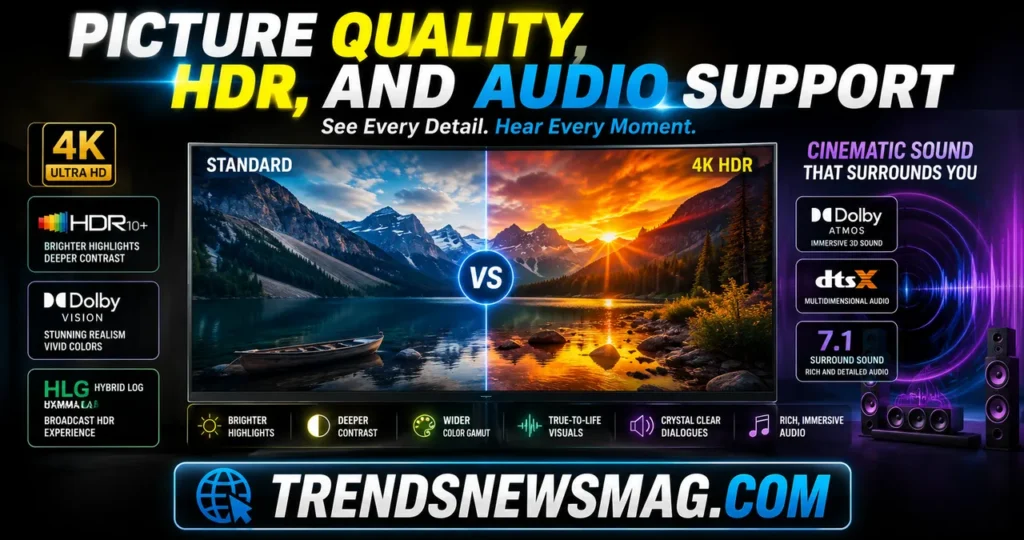
Both devices support 4K resolution at up to 60 frames per second, along with high dynamic range formats that meaningfully improve color depth, contrast, and overall realism compared to standard dynamic range content. The Apple TV 4K supports Dolby Vision, HDR10, and HDR10+, giving it broad compatibility across whatever streaming service or physical media format you’re pulling content from. Dolby Vision content in particular benefits from Apple’s color calibration tools, which can automatically adjust output based on your specific television’s capabilities using the iPhone’s camera and light sensor — a surprisingly clever feature that most people never bother to set up, but genuinely improves picture accuracy when they do.
Roku’s Ultra matches that HDR format support closely, offering Dolby Vision, HDR10, and HDR10+ as well, alongside Dolby Atmos audio pass-through for compatible sound systems. The practical difference between the two, in day-to-day viewing, is smaller than spec sheets suggest. Once you’re watching Dolby Vision content on a properly calibrated 4K television, both devices deliver images that look essentially identical to the naked eye, because the heavy lifting is being done by your television’s panel, not the streaming box feeding it a signal.
Where things diverge slightly is in consistency and reliability of format switching. Some users have reported that Apple’s tvOS handles HDR format switching between different apps more smoothly, avoiding the brief black screen or resolution flash that can occur when your TV renegotiates its signal. Roku has improved significantly here over the years, but the experience can vary depending on your specific television model and its HDMI implementation. Neither issue is a dealbreaker, but if you’re the type of viewer who notices a half-second flicker when switching from a 1080p news app to a 4K Dolby Vision movie, it’s worth reading recent user reports for your specific TV model before committing to either box.
Audio support tells a similar story of near-parity. Both devices pass through Dolby Atmos to compatible receivers and soundbars, and both support lossless audio formats for services that offer them. The Apple TV 4K has a slight edge for anyone deeply invested in Apple’s ecosystem, since it integrates more tightly with AirPods for automatic device switching and supports features like Audio Sharing between multiple sets of headphones. Roku counters with something Apple doesn’t offer at all: the Voice Remote Pro’s built-in headphone jack, letting you plug in any standard headphones for completely private listening without pairing anything or draining a separate battery.
Remote Control and Voice Assistant Experience
The remote is arguably the single most-touched piece of hardware in either ecosystem, and both companies clearly understand that. Apple’s Siri Remote underwent a meaningful redesign a few years back, replacing the widely criticized glass touchpad with a more traditional clickpad and dedicated buttons for menu navigation, volume, and power. Siri activation happens via a dedicated button, and the assistant handles a wide range of requests — searching across multiple apps simultaneously, answering general knowledge questions, and controlling connected HomeKit devices — all without leaving whatever you’re currently watching.
Siri’s performance on the Apple TV 4K has been a mixed bag historically, and this is actually a big part of why Apple’s next-generation model has faced repeated delays. Reports suggest the holdup isn’t primarily about hardware readiness at all, but about refining Siri’s underlying intelligence to meet modern expectations for conversational, context-aware assistants. If you’ve used Siri on an iPhone recently and found it hit-or-miss, expect a similar experience on the Apple TV 4K today, with the caveat that Apple is clearly investing heavily in closing that gap.
Roku’s Voice Remote Pro takes a different, arguably more pragmatic approach. Voice search works well for straightforward tasks — finding a specific movie, launching an app, adjusting volume — without trying to be a general-purpose conversational assistant. The hands-free “Hey Roku” activation means you don’t even need to pick up the remote for basic commands, and the rechargeable battery paired with that remote-finder button solves two of the most common annoyances people have with streaming remotes in general. It won’t answer trivia questions or hold a conversation the way Siri attempts to, but it rarely fails at the specific job it’s designed to do.
This is genuinely one of the more personal decision points in the entire Apple TV 4K vs Roku Ultra 2026 comparison. If you want your streaming remote to also function as a lightweight smart speaker and general assistant, Apple’s ambition — even with its current limitations — points toward a more capable future. If you just want voice search that reliably finds “that show with the guy from that other show” without fuss, Roku’s more modest but dependable approach might actually serve you better on a daily basis.
Operating System and User Interface
tvOS has evolved into one of the more visually polished streaming interfaces on the market, built around a grid of app icons with a strong emphasis on curated content recommendations pulled from your installed apps. The “Up Next” feature intelligently tracks what you’re watching across different services and surfaces it prominently, which genuinely reduces the friction of hopping between five different streaming subscriptions to find where you left off on a show. Apple has also leaned into personalization through Shared With You integration, pulling recommendations directly from links friends and family send you in Messages.
The tradeoff with tvOS is that its polish comes bundled with a certain rigidity. Customization options are limited compared to some competitors — you can rearrange app icons and create folders, but you can’t fundamentally restructure the home screen layout the way you might expect from a more open platform. For users fully invested in Apple’s design language, this rarely feels like a limitation; it feels like consistency. For users coming from Android TV or other more flexible platforms, it can initially feel restrictive.
Roku’s operating system has built its reputation on the opposite philosophy: get out of the way and let users find content as quickly as possible. The home screen is a straightforward grid, live TV and free content channels are prominently featured, and the overall interface hasn’t changed dramatically in years — which some reviewers frame as a weakness and others frame as exactly the point. As one detailed review put it, Roku’s OS offers “little to no leeway in terms of personalizing the home screen,” especially compared to competing platforms, though that same simplicity is precisely what makes it so approachable for less tech-savvy household members.
What Roku’s interface lacks in visual flair, it makes up for with genuinely useful practical features baked directly into the software. The free ad-supported content hub, The Roku Channel, sits front and center and offers a surprisingly deep library of movies and live channels at zero additional cost. Search results aggregate pricing across every service you have installed, so you can immediately see whether a movie is free with your existing subscriptions, available to rent, or requires a separate purchase — a small feature that saves real money over time by preventing accidental double-purchases.
App Ecosystem and Content Library
Both platforms support essentially every major streaming service you’d expect — Netflix, Disney+, Max, Hulu, Amazon Prime Video, Paramount+, Peacock, YouTube, and the various live TV bundles like YouTube TV or Sling. For the vast majority of households, app availability simply isn’t a differentiating factor anymore, because both companies have spent years courting every major content provider to ensure compatibility. If you’re building your decision purely around “will my favorite app be available,” the honest answer is that it almost certainly will be on either device.
Where the two platforms diverge is in the depth of niche and free content offerings. Roku’s app store, called the Channel Store, includes thousands of smaller channels covering everything from international news networks to hyper-specific hobby content, alongside The Roku Channel’s substantial free library. This has made Roku something of a go-to recommendation for cord-cutters specifically trying to minimize subscription costs, However, users researching alternative streaming options should review our Apollo Group TV Review to understand IPTV risks and legal alternatives. since a meaningful chunk of watchable content requires no payment at all beyond the initial device purchase.
Apple’s App Store for tvOS, by comparison, leans more heavily toward premium and subscription-based content, with less emphasis on ad-supported free channels. Apple TV+ itself has built a genuinely respected content library over the past several years, with award-winning original series and films that have shifted perceptions of Apple as a serious content player, If you already own a smart TV and want to access this service, read our guide on How to Setup Apple TV+ on Smart TVs. rather than just a hardware company. But if your priority is squeezing maximum free content out of your streaming box without opening your wallet, Roku’s ecosystem is built with that use case specifically in mind, while Apple’s is built around premium curation.
Gaming apps represent another area of divergence worth mentioning here, even though it overlaps with the performance discussion above. Apple Arcade, included with an Apple One or standalone subscription, offers a genuinely deep library of console-quality games playable directly through the Apple TV 4K, taking advantage of that A15 Bionic chip’s graphical capabilities. Roku offers essentially nothing comparable — casual games exist in its channel store, but nothing approaching Apple Arcade’s production values or breadth. If gaming factors into your decision at all, this single point may be enough to settle the Apple TV 4K vs Roku Ultra 2026 debate on its own.
Smart Home and Ecosystem Integration
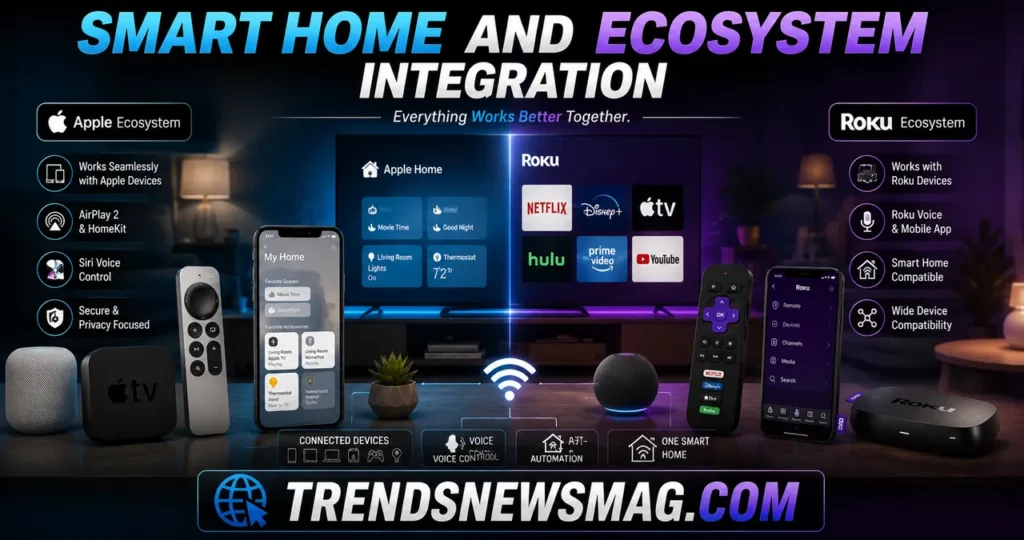
This is where the philosophical divide between these two companies becomes most obvious, and honestly, most important for long-term satisfaction. The Apple TV 4K functions as a genuine smart home hub, supporting HomeKit and Matter natively, which means it can control compatible smart locks, thermostats, lights, and security cameras directly, and act as a home hub for remote access even when you’re away. If you already own an iPhone, Apple Watch, or HomePod, the Apple TV 4K slots into that ecosystem almost invisibly — AirPlay mirroring works instantly, Handoff lets you continue watching content from your phone on the big screen, and Find My integration means the device itself becomes part of your broader Apple account.
For households that have already committed to Apple hardware across multiple devices, this integration is genuinely valuable in ways that are hard to quantify on a spec sheet. It’s the difference between juggling three separate apps to check who’s at your front door versus glancing at your TV screen during a commercial break because the doorbell notification popped up automatically. As one industry analysis put it plainly, for users already invested in Apple’s ecosystem, “these features may provide enough value to justify the higher cost,” while for those outside that ecosystem, the same features simply don’t move the needle.
Roku takes a deliberately neutral stance here, and it’s worth being clear-eyed about what that means in practice. The Ultra doesn’t function as a smart home hub in any meaningful sense — it’s a streaming device, full stop, and Roku has shown no real interest in expanding beyond that core identity. This isn’t a flaw so much as a design choice: Roku works identically well whether you own an iPhone or an Android phone, whether your smart home runs on Google, Amazon, or Apple standards, and whether you own zero connected devices or fifty. That platform-agnostic approach is precisely why Roku remains one of the most broadly recommended streaming devices regardless of what other technology you own, and it’s a legitimate selling point rather than a missing feature for a huge portion of shoppers.
The practical takeaway here is straightforward, even if it requires some honest self-assessment. If your household already leans heavily into Apple products — iPhones, Macs, HomePods, HomeKit accessories — the Apple TV 4K’s ecosystem integration adds real, everyday value that compounds over time. If your household runs a mixed bag of Android phones, various smart home brands, and no particular brand loyalty, Roku’s neutrality isn’t a compromise; it’s arguably the smarter choice, because you’re not paying a premium for integration you’ll never actually use.
Gaming Capabilities
We touched on this briefly above, but it deserves its own dedicated look because gaming has quietly become a more significant differentiator than it used to be. Apple has invested real engineering effort into positioning the Apple TV 4K as a legitimate, if modest, gaming console alternative. With Metal 3 support and development tools optimized specifically for tvOS, newer Apple Arcade titles now feature real-time lighting effects, advanced physics engines, and texture detail that genuinely rivals what you’d expect from a dedicated gaming console rather than a streaming box that happens to run some games on the side.
Controller support adds to this picture. The Apple TV 4K works with PlayStation DualShock and DualSense controllers, along with Xbox controllers, giving you a genuinely comfortable gaming experience rather than forcing you to fumble through touch-based controls on the Siri Remote. Combined with Apple Arcade’s subscription model — which bundles hundreds of games without ads or in-app purchases for one flat monthly fee — the Apple TV 4K occupies a genuinely unique space as a streaming device that doubles as a casual-to-mid-tier gaming console.
Roku hasn’t pursued this direction at all, and there’s no indication that will change with the Ultra’s 2026 refresh. This isn’t necessarily a weakness for most buyers, since the overwhelming majority of Roku users purchase the device purely for streaming and never open a games menu at all. But if you’re a parent looking for a single device that keeps kids entertained with both streaming content and genuinely engaging games, or someone who wants a lightweight gaming option without buying a dedicated console, this category tips decisively toward Apple. It’s one of the clearest, least ambiguous differentiators in the entire Apple TV 4K vs Roku Ultra 2026 comparison.
Price and Value for Money
Let’s talk numbers directly, because this is ultimately where most buying decisions get made. As of mid-2026, Apple’s current Apple TV 4K starts at $199 for the 64GB Wi-Fi-only model, with the 128GB version featuring Ethernet and Thread support priced at $249. Those prices reflect a notable increase from the device’s original $129 launch price, driven by broader cost pressures across Apple’s hardware lineup. Roku’s Ultra, by contrast, has held remarkably steady at roughly $99.99, a price point the company has maintained across multiple hardware refreshes rather than chasing incremental price increases.
That price gap is not small. You’re looking at spending roughly double, or in some cases nearly two and a half times more, for the Apple TV 4K compared to the Roku Ultra. The question isn’t whether that gap exists — it clearly does — but whether the additional features, performance headroom, and ecosystem integration justify it for your specific situation. For Apple-invested households, gamers, and anyone who values the smart home hub functionality, the answer is often yes. For everyone else, that’s a genuinely significant amount of money to spend on features you may never touch.
Here’s a side-by-side breakdown to make the comparison easier to digest at a glance:
| Feature | Apple TV 4K (2022, current) | Roku Ultra (2026) |
|---|---|---|
| Starting Price | $199 (64GB) / $249 (128GB, Ethernet) | $99.99 |
| Processor | A15 Bionic | Quad-core (Roku custom) |
| Max Resolution | 4K at up to 60fps | 4K at up to 60fps |
| HDR Formats | Dolby Vision, HDR10, HDR10+ | Dolby Vision, HDR10, HDR10+ |
| Audio | Dolby Atmos, Spatial Audio | Dolby Atmos |
| Voice Assistant | Siri | Roku Voice (hands-free) |
| Smart Home Hub | Yes (HomeKit, Matter, Thread) | No |
| Gaming Support | Apple Arcade, controller support | Minimal, casual only |
| Ethernet Port | 128GB model only | Included on all Ultra units |
| Remote Extras | Clickpad, dedicated buttons | Headphone jack, remote finder |
| Free Content Library | Limited (App Store focused) | Extensive (The Roku Channel) |
| OS Customization | Limited, curated | Limited, simplicity-focused |
| Ecosystem Lock-in | High (Apple devices) | None (fully cross-platform) |
Looking at this table, the value proposition each device offers becomes clearer. Apple charges a premium for processing power, gaming capability, and ecosystem depth. Roku charges roughly half as much for a device that handles the core streaming experience just as competently, without any of the ecosystem strings attached. Neither pricing structure is objectively “wrong” — they’re simply built for different buyers with different priorities.
It’s also worth noting that real-world discounts shift this calculation further in Roku’s favor during sales periods. Retailers regularly discount the Roku Ultra during major shopping events, sometimes bringing it well under its already modest sticker price. Apple’s discounts tend to be shallower and less frequent, partly because Apple maintains tighter control over retail pricing across its authorized sellers. If you’re patient and willing to wait for a sale, that price gap in the Apple TV 4K vs Roku Ultra 2026 comparison can widen even further in Roku’s direction.
Privacy and Advertising Differences
This category doesn’t get discussed nearly as often as it should, but it genuinely affects the daily experience of using either device, especially over the long term. Apple has built its broader brand identity around privacy as a competitive differentiator, and that philosophy extends to tvOS. Viewing data collected through the Apple TV 4K is generally more restricted from third-party advertisers compared to competing platforms, and Apple doesn’t inject its own advertising into the home screen or interface the way some competitors do.
Roku’s business model, on the other hand, has always leaned more heavily on advertising revenue, particularly through The Roku Channel and various promotional placements across the home screen interface. This isn’t necessarily a dealbreaker for most users — the ads are generally unobtrusive compared to some competing platforms — but it’s a real structural difference worth understanding. Roku’s lower upfront hardware price is, at least in part, subsidized by the advertising and data partnerships built into its software layer, whereas Apple’s higher price reflects a business model that doesn’t rely on the same revenue streams from the device itself.
For privacy-conscious buyers, this distinction can genuinely tip the Apple TV 4K vs Roku Ultra 2026 decision in Apple’s favor even if the price difference feels steep otherwise. For buyers who are simply looking for the most functional, affordable streaming experience and aren’t particularly concerned about advertising-supported free content or data collection practices, Roku’s approach remains a perfectly reasonable trade-off, especially given how competitively priced the Ultra remains against literally every comparable device on the market.
Which One Should You Actually Buy
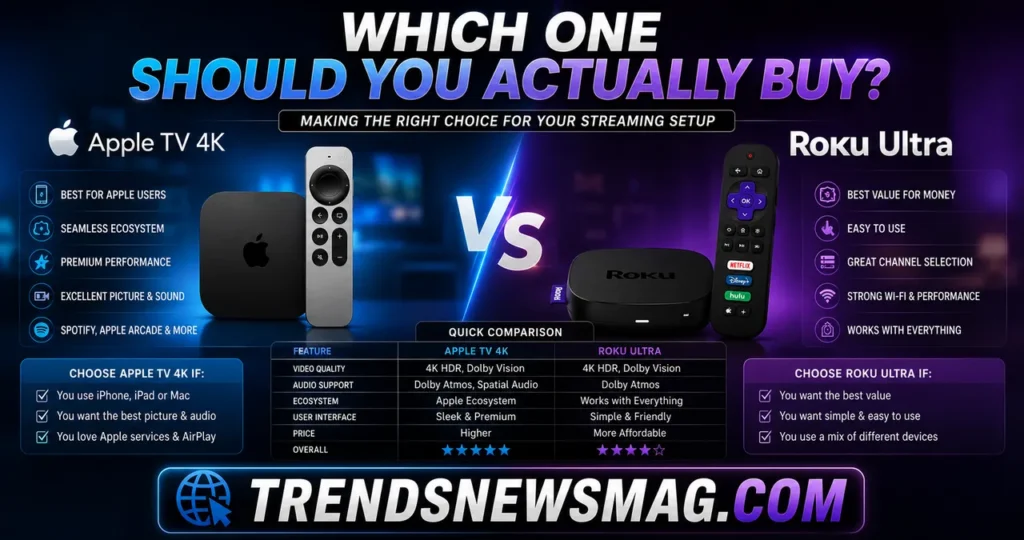
At this point, you’ve got a fairly complete picture of how these two devices stack up, so let’s translate all of that into practical, decision-ready guidance. If you already own an iPhone, use HomeKit-compatible smart home devices, subscribe to Apple Arcade or plan to, and generally live inside Apple’s broader ecosystem, the Apple TV 4K is very likely worth its higher price. The integration benefits compound in ways that are genuinely hard to appreciate until you’ve experienced how seamlessly content, notifications, and smart home controls flow between your devices.
If you’re coming from a mixed-technology household — an Android phone here, a Google Nest thermostat there, no particular smart home ecosystem commitment — or if you simply want the best possible streaming experience for the least amount of money, the Roku Ultra represents outstanding value. You’re not sacrificing meaningful picture quality, audio support, or day-to-day usability by choosing the more affordable option. You’re primarily sacrificing ecosystem depth and gaming ambition, and for a huge percentage of households, neither of those trade-offs matters much at all.
Budget-conscious buyers who still want a genuinely premium experience should lean toward Roku without much hesitation. Gamers and Apple ecosystem loyalists should lean toward Apple, understanding that they’re paying a real premium for that positioning. And if you’re still on the fence, waiting a few more months to see what Apple’s rumored next-generation Apple TV 4K actually delivers — particularly around Siri improvements and potential pricing adjustments — isn’t a bad strategy either, especially since the current-generation Apple TV 4K has already received a meaningful price increase that some buyers feel wasn’t matched by proportional hardware improvements.
One more practical consideration worth mentioning: think about how many people in your household will actually use this device, and how comfortable they are with technology in general. Roku’s straightforward, low-friction interface tends to be easier for less tech-savvy family members or guests to navigate without guidance. Apple’s tvOS, while polished, occasionally assumes a baseline familiarity with Apple’s broader design conventions that not every household member shares equally.
Related Guides:
- Best Streaming Devices for 4K HDR TVs (2026 Guide)
- How to Fix Apple TV Remote Not Working (15 Proven Fixes)
Conclusion
The Apple TV 4K vs Roku Ultra 2026 comparison ultimately comes down to a question of priorities rather than raw quality, because both devices are genuinely excellent at their core job of streaming 4K HDR content reliably. Apple’s device wins decisively on raw processing power, gaming capability, and smart home ecosystem integration, but it demands a real financial premium and only pays that investment back fully if you’re already living inside Apple’s broader hardware world. Roku’s Ultra counters with remarkable consistency, a genuinely useful free content library, platform-agnostic flexibility, and a price point that’s stayed stable for years — making it one of the safest, most broadly recommendable streaming purchases you can make regardless of what phone is in your pocket.
Neither device is a bad choice, and that’s honestly the most important takeaway here. You’re choosing between two mature, well-supported products built by companies with very different philosophies about what a streaming box should be. Match that philosophy to your actual habits — not to spec sheets or brand loyalty alone — and you’ll end up genuinely satisfied with either purchase for years to come. For deeper technical background on how HDR formats and streaming codecs actually work under the hood, Wikipedia’s overview of high dynamic range video is a solid, freely available starting point.
FAQs
How much faster is the Apple TV 4K compared to the Roku Ultra in real-world use?
In everyday tasks like launching apps, navigating menus, and starting playback, most users won’t notice a dramatic speed difference between the two, since Roku has optimized its operating system specifically to run efficiently on more modest hardware. Where the Apple TV 4K’s extra processing power becomes noticeable is in demanding scenarios — running graphically intensive Apple Arcade games, handling complex on-device audio processing, or multitasking between features like screen mirroring and active playback. For pure streaming purposes, the practical speed gap in the Apple TV 4K vs Roku Ultra 2026 comparison is smaller than the hardware specifications alone would suggest.
Is the Roku Ultra good enough for someone who doesn’t own any Apple products?
Absolutely, and in many ways the Roku Ultra is specifically designed with that user in mind. It works identically well regardless of whether you own an iPhone or Android device, integrates with virtually every major streaming service, and doesn’t require any particular smart home ecosystem to function at its best. If you don’t already own Apple hardware and have no plans to invest in that ecosystem, choosing the Roku Ultra means you won’t be paying extra for integration features you’d never actually use.
Does the Apple TV 4K’s higher price actually translate into a better picture quality?
Not dramatically, no. Both devices support the same core HDR formats — Dolby Vision, HDR10, and HDR10+ — and once you’re watching properly mastered 4K HDR content on a good television, the visual difference between the two boxes is minimal to the naked eye. The higher price of the Apple TV 4K is driven far more by processing power, gaming capability, and ecosystem integration than by any meaningful jump in raw picture quality over the Roku Ultra.
Should I wait for the next Apple TV 4K instead of buying either device right now?
It depends on how urgently you need a new streaming device and how deeply you’re invested in Apple’s ecosystem. Current reporting suggests Apple’s next-generation model likely won’t arrive before September 2026 at the earliest, and even then, some of its headline features — particularly around a smarter Siri — could face further delays given the software’s development history. If you need a device now, both the current Apple TV 4K and the Roku Ultra remain excellent choices; if you can comfortably wait several months and specifically want cutting-edge Apple hardware, holding off may be worthwhile.
Which device offers better value for someone trying to cut cable costs entirely?
The Roku Ultra generally holds a slight edge for cord-cutters focused specifically on minimizing costs, thanks to its extensive free ad-supported content library through The Roku Channel and its lower upfront price. That said, the Apple TV 4K remains a perfectly capable cord-cutting device as well, particularly if you’re already paying for Apple TV+ or other subscriptions that integrate tightly with Apple’s ecosystem. In the broader Apple TV 4K vs Roku Ultra 2026 discussion, budget-focused cord-cutters without existing Apple loyalty will typically get more effective value per dollar from the Roku Ultra.
Can either device replace a dedicated gaming console?
Neither device is designed to fully replace a dedicated gaming console, but the Apple TV 4K comes noticeably closer thanks to Apple Arcade’s growing library of console-quality titles, controller support for PlayStation and Xbox controllers, and hardware capable of running genuinely demanding games. The Roku Ultra offers essentially no comparable gaming functionality and isn’t marketed or designed with that use case in mind at all. If gaming plays any meaningful role in your decision, the Apple TV 4K is the clear choice between the two.
Related Guides on TrendsNewsMag: