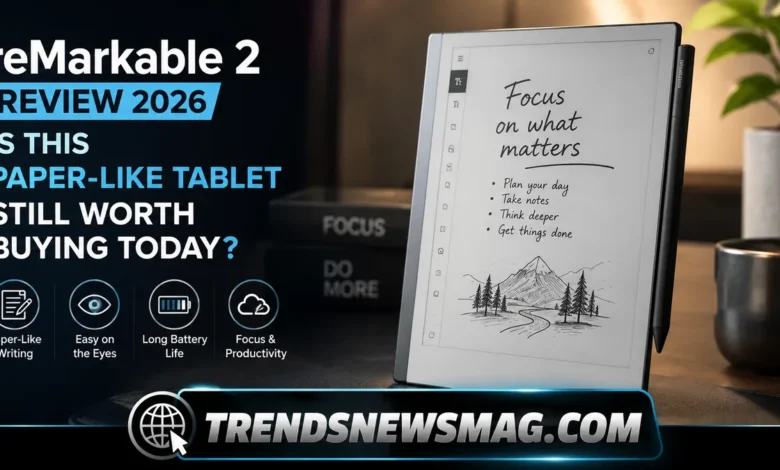
There is something almost stubborn about a device that refuses to do everything. In a world where every screen wants your attention, wants to autoplay a video, wants to ping you with a notification, the reMarkable 2 quietly does the opposite. It gives you a blank page, a stylus, and nothing else. No app store. No browser tab lurking in the background. No little red badge counting down your unread messages. For a lot of people, that sounds like a step backward. For a growing number of writers, students, lawyers, doctors, and creative professionals, it has turned out to be exactly the step forward they needed.


This article takes a genuinely close look at the reMarkable 2, the digital notebook that built a cult following by doing less, not more. We will walk through its design, its writing feel, its software, its battery life, its pricing structure, and the honest limitations that come with owning one. We will also address something important: the reMarkable 2 has recently been phased out of the company’s primary lineup, so anyone considering it in 2026 needs the full picture before deciding whether to buy new, buy used, or wait for its successor. By the end, you should know exactly whether this device belongs in your bag.
What Makes the reMarkable 2 Different From Every Other Tablet
Most tablets are built to be everything at once — a video player, a gaming console, a productivity suite, and a communication hub, all crammed into one glowing rectangle. The reMarkable 2 takes the opposite philosophy. It is, at its core, a digital notebook that happens to run software. There is no social media, no streaming app, no web browser baked into the core experience. The entire device exists to serve one purpose: helping you write, sketch, and read without anything competing for your focus.
That single-mindedness is precisely why so many people fall in love with it. A product reviewer once put it bluntly in a piece covering the device: “I don’t feel the need to switch to another app, because there are none.” That sentence captures the whole appeal in a single line. When you pick up a laptop or a standard tablet to jot down a quick thought, you are one tap away from an inbox, a notification, or a rabbit hole of unrelated browsing. The reMarkable 2 removes that temptation entirely, and for people who struggle with focus, that removal is the feature, not a limitation.
The screen itself plays a huge role in this distraction-free identity. Instead of an LCD or OLED panel, the reMarkable 2 uses an E Ink display, the same underlying technology found in dedicated e-readers. E Ink doesn’t emit light the way a phone or laptop screen does; it reflects ambient light much like a printed page. That means no blue-light glare, no eye strain after hours of use, and a visual experience that genuinely resembles paper rather than glass. Once you have used a device like this for even a week, going back to a backlit tablet for note-taking can feel oddly harsh on the eyes.
There’s also a psychological effect at play that’s easy to underestimate. Because the reMarkable 2 looks and feels like a notebook, your brain treats it differently than it treats a phone or laptop. You don’t associate it with scrolling, refreshing, or checking. This subtle behavioral shift is part of why so many owners report writing longer, thinking more clearly, and retaining information better when they use it for meetings, journaling, or studying. The hardware shapes the habit, and the habit shapes the output.
Design and Build Quality: A Closer Look at the reMarkable 2
Pick up a reMarkable 2 for the first time and the first sensation is almost always surprise at how thin it is. At just 4.7 millimeters thick, it’s thinner than most pencils, and noticeably thinner than the stylus that ships alongside it. That thinness isn’t a gimmick; it’s the result of a machined aluminum body that replaced the plastic bezel of the original reMarkable model. Holding it feels closer to holding a slim clipboard than holding a traditional tablet.
Weight matters just as much as thickness when you’re carrying a device around all day, and here again the reMarkable 2 performs well. It comes in at a little over 400 grams, light enough to hold in one hand for extended writing sessions without your wrist complaining. The back panel has a frosted glass-like finish with small rubberized grips at the corners, which prevents it from sliding around on a desk or slipping out of your hand mid-sentence. It’s a small design choice, but anyone who has fumbled a slippery tablet mid-meeting will appreciate it.
The 10.3-inch Canvas display sits at the heart of the design, and reMarkable engineered it specifically to minimize latency between the tip of the stylus and the mark appearing on screen. That lag, measured at roughly 21 milliseconds, is what makes the writing experience feel immediate rather than delayed. Most competing E Ink tablets on the market still lag noticeably behind this benchmark, which is part of why the reMarkable 2 became something of an industry reference point for what a digital paper tablet should feel like.
One detail that surprises new owners is the visible screw pattern on the back casing. Rather than hiding the hardware behind a seamless shell, reMarkable left the screws exposed, giving the device a utilitarian, almost engineering-prototype aesthetic. It’s a deliberate design statement: this is a tool, not a lifestyle accessory dressed up to look premium. That said, it does still feel premium in the hand, just in a quieter, more understated way than a glossy consumer tablet.
Ports and physical controls are kept minimal, which fits the overall philosophy. There’s a single USB-C port for charging and file transfer, a power button, and that’s essentially it. No headphone jack, no speaker grille, no camera. Every element that isn’t strictly necessary for reading and writing has been stripped away, and the result is a device that looks and feels remarkably calm compared to the visual noise of a typical tablet.
The Writing Experience: Why the reMarkable 2 Feels Like Real Paper
If there’s one reason people buy the reMarkable 2 over literally any other device, it’s the way the pen meets the screen. reMarkable engineered the Canvas display with a textured surface specifically designed to create friction against the stylus tip, mimicking the slight resistance you feel when a pen drags across paper. Most glass tablets feel slippery and frictionless under a stylus, which subconsciously makes handwriting feel unnatural. The reMarkable 2 solves that problem almost completely.
The accompanying Marker stylus doesn’t require charging or pairing, and it doesn’t have a battery inside it at all — it draws power wirelessly from the tablet itself through electromagnetic resonance technology. That means you never have to worry about your pen dying mid-thought, which sounds like a minor convenience until you’ve actually experienced the frustration of a dead stylus interrupting a flow of ideas on a competing device. The upgraded Marker Plus even adds a built-in eraser on the opposite end, letting you flip the pen over just like you would with a physical pencil to erase mistakes.
One writer who reviewed the device for a major publication summed up the appeal this way: “The Remarkable 2 is light and feels solid in the hand,” a small but telling observation, because so much of the writing experience depends on how a device physically sits in your grip during long sessions. A tablet that feels top-heavy or awkward becomes tiring within twenty minutes. The reMarkable 2’s balance and low weight mean you can write for an hour and barely notice fatigue setting in.
Handwriting recognition is another area where the device quietly impresses. Notes taken by hand can be converted into typed text and exported, which is a lifesaver for anyone who prefers writing by hand but eventually needs a searchable, shareable digital version. The conversion accuracy has improved significantly through software updates over the years, handling everything from neat block lettering to messier cursive with a surprising degree of reliability, though like any handwriting recognition system, it still performs best with consistent, deliberate penmanship.
Beyond plain note-taking, the pressure sensitivity of the stylus allows for a genuine range of expression when sketching. Lines can vary in thickness depending on how hard you press, and different pen types available in the software — fineliner, ballpoint, pencil, marker, and more — each mimic distinct physical writing tools with surprisingly convincing texture and shading. Illustrators, architects sketching quick concepts, and note-takers who like to doodle in the margins all find something to appreciate here, even though the reMarkable 2 was never marketed primarily as an art tablet.
Software, Templates, and Organization on the reMarkable 2
The hardware gets most of the attention, but the software running underneath the reMarkable 2 is where a lot of the everyday usefulness actually lives. The interface is intentionally sparse: a home screen listing your notebooks and folders, a handful of settings, and very little else. There’s no clutter, no widgets, no dashboard trying to surface content you didn’t ask for. Navigating it takes about five minutes to learn completely, which is refreshingly different from the layered menu systems found on most modern tablets.
Templates are one of the software’s quiet strengths. Instead of forcing you to buy separate notebooks for different purposes, the reMarkable 2 lets you choose from dozens of built-in page layouts — dotted grids, ruled lines, checklists, weekly planners, storyboards, music staff paper, and more. Switching between them takes seconds, meaning a single device can replace an entire shelf of specialty notebooks. A law student taking Cornell-style notes in the morning can switch to a blank sketch page for an afternoon brainstorming session without carrying a second notebook.
File handling is another area where the reMarkable 2 quietly earns its keep. PDFs and ePub files can be transferred onto the device and annotated directly, with handwritten notes, highlights, and underlines saved as a layer over the original document. This makes it genuinely useful for reviewing contracts, marking up research papers, or reading textbooks with a pen in hand rather than a mouse cursor. Once annotated, files can sync back out to cloud services like Google Drive, Dropbox, or OneDrive, keeping your work accessible across other devices even though the tablet itself stays offline by design.
Speaking of offline behavior, this might be the software’s most underrated feature. The reMarkable 2 doesn’t need a constant internet connection to function; it connects to Wi-Fi only when you want to sync files, and otherwise operates entirely independently. That makes it dependable during flights, in remote work settings, or in meeting rooms with unreliable connectivity, situations where a typical tablet’s dependence on constant connection becomes a liability rather than a convenience.
There is a subscription tier called Connect that unlocks features like unlimited cloud storage, handwriting-to-text conversion in more formats, and screen sharing to a laptop during presentations. The core note-taking and reading experience, however, works perfectly well without paying anything extra, which means the subscription feels optional rather than mandatory — a distinction that matters a lot to buyers who are already wary of yet another monthly fee attached to a piece of hardware.
reMarkable 2 vs iPad vs Other E-Ink Tablets
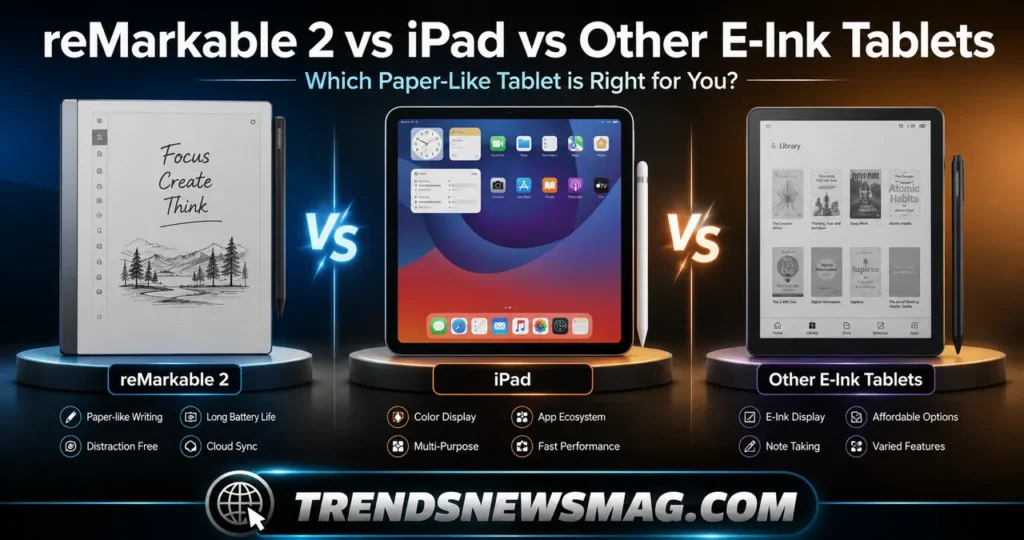
Comparing the reMarkable 2 to an iPad is a bit like comparing a typewriter to a laptop — they can both help you write, but they’re solving fundamentally different problems. The iPad is a full computing platform capable of video editing, gaming, web browsing, and thousands of specialized apps. The reMarkable 2 does exactly one thing extremely well: distraction-free handwriting and reading. Neither approach is objectively better; it depends entirely on what you’re trying to protect yourself from.
Against other E Ink note-taking tablets, the comparison gets more interesting because these devices are competing on the same turf. Brands like Boox and Kobo have released tablets with color E Ink screens, Android operating systems, and even limited app store access, positioning themselves as more flexible alternatives. The reMarkable 2 deliberately avoids that flexibility, betting that most users actually want fewer options rather than more. Whether that bet pays off for you depends on whether you see an app store as a feature or a threat to your focus.
Here’s a side-by-side look at how the reMarkable 2 stacks up against its closest categories of competitors:
| Feature | reMarkable 2 | Standard iPad | Boox-style E Ink Tablet |
|---|---|---|---|
| Screen type | Monochrome E Ink | LCD/backlit | Often color E Ink |
| App store | None | Full App Store | Android-based, limited apps |
| Writing latency | ~21ms | Varies, often higher | Generally higher than reMarkable |
| Battery life | Multiple days | Roughly 10 hours active use | Days, but shorter with app use |
| Distraction level | Very low | High | Moderate to high |
| Best for | Focused note-taking, reading | General computing, media, apps | Flexible reading and light apps |
| Starting price | Around $279–$399 depending on offer | Higher, varies by model | Comparable or slightly higher |
What this table makes clear is that the reMarkable 2 isn’t trying to win on raw feature count. It wins on doing fewer things with more precision. If your priority is a device that gets out of your way and lets you write, the reMarkable 2 remains extremely competitive even against tablets with objectively more capability on paper. If your priority is versatility, an iPad or an Android-based E Ink tablet will serve you better, simply because they’re built for a broader range of tasks.
Battery life deserves a specific callout here, because it’s one area where the reMarkable 2 doesn’t just compete — it dominates. A standard tablet with a backlit screen typically needs charging every day or two under regular use. The reMarkable 2, thanks to its E Ink display only drawing power when the screen refreshes, can stretch across multiple days of moderate use before needing a charge, which we’ll break down further in the next section.
Battery Life, Storage, and Everyday Performance
E Ink technology has a built-in advantage when it comes to power consumption, and the reMarkable 2 takes full advantage of it. Because the screen only uses energy to change what’s displayed rather than continuously refreshing like an LCD panel, the battery can last for days rather than hours under typical use. Independent testing has put daily battery drain at roughly a quarter of total capacity under moderate note-taking and reading, which works out to somewhere around four days of use before a recharge becomes necessary.
That number shifts depending on how you use the device, naturally. Heavy PDF annotation, frequent syncing, and extended reading sessions will drain the battery faster than light note-taking spread across a week. Still, even in worst-case scenarios, the reMarkable 2 comfortably outlasts nearly every backlit tablet on the market, and it charges relatively quickly over USB-C when you do need to top it up. For students carrying it to back-to-back classes or professionals in meetings all day, not having to think about battery anxiety is a genuine quality-of-life improvement.
Storage on the reMarkable 2 sits at 8GB, which sounds modest by modern standards but makes sense given what the device is actually storing. Handwritten notes and annotated PDFs take up relatively little space compared to video or high-resolution photography, so 8GB translates into a substantial amount of practical notebook storage — thousands of pages of notes and a healthy library of PDFs and ePub files, especially when combined with cloud syncing that offloads older files without deleting them from your working set.
Performance-wise, the reMarkable 2 isn’t fast in the way a modern smartphone is fast, and it was never designed to be. Page turns and note-taking respond quickly, but opening large PDF files or converting long handwritten documents into text can take a few seconds longer than you’d expect from a flagship tablet. This isn’t a flaw so much as a trade-off; the processor inside is tuned for efficiency and battery preservation rather than raw horsepower, which aligns with the device’s overall goal of longevity over flashiness.
Software updates have steadily improved performance since the reMarkable 2 launched years ago, smoothing out earlier complaints about lag during PDF loading and handwriting conversion. reMarkable has continued pushing firmware updates that refine the experience even now, which matters a great deal for anyone considering a purchase today, since it means the device you buy isn’t frozen in the state it shipped in originally.
Pricing, Accessories, and the Real Cost of Owning a reMarkable 2
On paper, the reMarkable 2 looks like an affordable entry point into digital note-taking, with a starting price that has fluctuated between roughly $279 and $399 depending on promotions and market conditions. But the full cost of ownership climbs quickly once you factor in the accessories that most buyers end up wanting. The Marker stylus adds around $49, while the Marker Plus with its built-in eraser typically runs closer to $99, though it frequently goes on sale.
Cases and folios add another layer of expense, and this is where a lot of new buyers experience sticker shock. A basic polymer weave folio and the more premium leather Book Folio cases can each add anywhere from $30 to nearly $100 depending on material and design, and reMarkable’s official accessories carry a noticeably premium price tag compared to third-party alternatives. One reviewer who has tested the device extensively noted candidly that the accessories “does not reflect the value accurately,” pointing out that the price premium on styluses and folios feels steeper than the actual manufacturing cost would suggest.
That said, the accessories genuinely are well made, with tight tolerances, quality materials, and a level of finish that matches the tablet itself. Whether that justifies the price is a personal calculation every buyer has to make. Budget-conscious buyers often start with just the tablet and base Marker, adding a folio or upgraded stylus later once they’ve confirmed the device fits into their workflow long-term, rather than committing to the full bundle upfront.
Third-party accessories have grown into a healthy ecosystem for the reMarkable 2 over the years, offering cheaper alternative cases and even generic styluses compatible with the device’s electromagnetic resonance technology. These options won’t carry the same brand polish as official reMarkable accessories, but they meaningfully lower the barrier to entry for anyone unwilling to pay full price for a folio case.
It’s also worth noting that used and refurbished units of the reMarkable 2 have become increasingly available on resale marketplaces, often at a meaningful discount compared to buying new. Given the device’s simple design and lack of moving parts beyond the button and port, a well-maintained used unit tends to hold up just as well as a new one, making the secondhand market a genuinely reasonable option for budget-conscious buyers.
Who Should Buy the reMarkable 2 in 2026
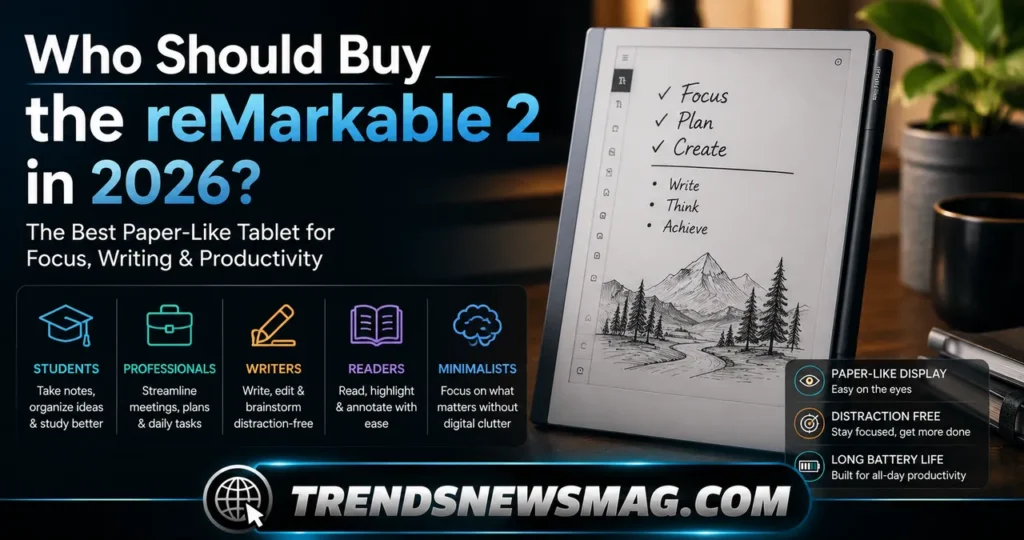
Here is the piece of information that changes the calculation for anyone shopping right now: the reMarkable 2 was officially discontinued as of May 6, 2026, closing out a six-year production run. It has been succeeded by the reMarkable Paper Pure, a newer third-generation black-and-white tablet starting at $399 that builds on the same core philosophy with refined hardware and software. Importantly, the reMarkable 2 hasn’t been abandoned — it continues to receive regular software updates, and accessories remain available for purchase, but it’s no longer the company’s primary offering going forward.
This changes the buying decision in a meaningful way. If you’re specifically drawn to the reMarkable 2 because of its price point, its established reputation, or simply because you’ve read glowing reviews of that exact model, buying one secondhand or through remaining retail stock is still a completely viable choice, especially with continued software support locked in. If you’re buying fresh into the ecosystem with no particular attachment to the older model, it’s worth at least comparing the newer Paper Pure before committing, since it represents the company’s current focus and likely longer-term support horizon.
Students remain one of the strongest use cases for the reMarkable 2, particularly those in reading-heavy fields like law, medicine, or the humanities, where annotating PDFs and taking structured notes matters more than multimedia flexibility. Writers, journalists, and researchers who need a place to draft longhand without the pull of email or social media also tend to report high satisfaction, often describing a noticeable improvement in focus and idea retention compared to typing on a laptop.
Professionals in meeting-heavy roles — consultants, executives, project managers — often adopt the reMarkable 2 specifically to escape the temptation of checking messages during meetings while still keeping organized, searchable notes. On the other hand, anyone hoping to replace a full tablet or laptop with a single device will be disappointed; the reMarkable 2 was never meant to browse the web, stream video, or run productivity software beyond its own notebook environment, and it never pretends otherwise.
Creative professionals occupy a middle ground worth mentioning separately. Illustrators and designers who want a lightweight sketching companion for quick concept work appreciate the pressure-sensitive stylus and paper-like texture, but those doing detailed color illustration or digital painting will find the monochrome E Ink screen limiting compared to color tablets built specifically for that purpose. Knowing which category you fall into before buying will save you from a purchase that doesn’t match your actual needs.
Tips to Get the Most Out of Your reMarkable 2
Owning a reMarkable 2 well is a bit different from owning most gadgets, because the device rewards intentional habits rather than passive use. One of the simplest upgrades new owners overlook is organizing notebooks into folders early rather than letting everything pile up on the home screen. A flat list of forty untitled notebooks becomes unmanageable fast, while a folder structure set up in the first week keeps the whole system navigable for years.
Custom templates are another underused feature. Beyond the built-in page layouts, you can upload your own PDF templates — anything from a custom weekly planner to a specific form your workplace uses regularly — and set them as the default background for new notebooks. This turns the reMarkable 2 into a genuinely personalized productivity tool rather than a generic notepad, and it’s a five-minute setup that pays off every single day afterward.
Handwriting conversion accuracy improves noticeably if you take a little time to write consistently rather than mixing print and cursive within the same document. The recognition engine adapts better to a steady writing style, so users who commit to one handwriting approach for note-taking tend to get cleaner, more reliable text conversion when exporting notes later. It’s a small discipline that makes a real difference in how usable your converted notes end up being.
Syncing habits matter more than most people expect, too. Setting the reMarkable 2 to automatically back up to a cloud service ensures that even if the device is lost, damaged, or simply misplaced for a few days, your notes remain safe and accessible elsewhere. Given that the tablet doesn’t operate as a general-purpose backup device in the way phones do, building a consistent sync routine early protects against what would otherwise be a genuinely painful loss of handwritten work.
Finally, don’t overlook screen cleanliness and stylus tip maintenance. The textured Canvas display that gives the reMarkable 2 its paper-like friction also wears down the stylus tip slightly faster than a smooth glass screen would. Replacement nibs are inexpensive and easy to swap, and keeping a spare set on hand prevents the writing feel from degrading gradually to the point where you don’t notice the decline until it’s significant.
Common Frustrations and Limitations of the reMarkable 2
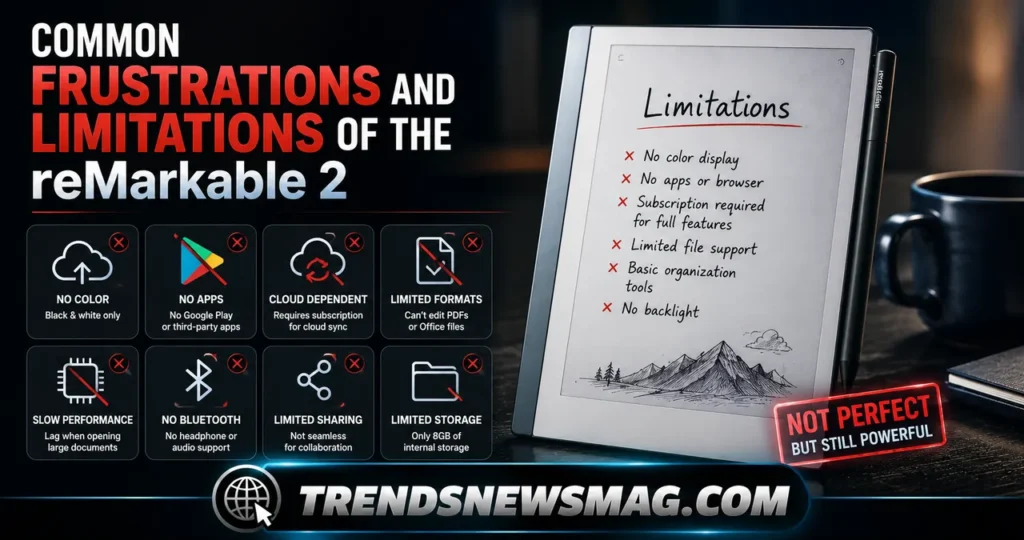
No honest review can pretend the reMarkable 2 is without downsides, and understanding these limitations before buying prevents disappointment later. The single biggest complaint across long-term owners is the price of accessories relative to their function. Paying nearly as much for a folio case as you’d pay for a mid-range e-reader feels steep, even accounting for the quality of materials used.
Refresh rate and occasional ghosting are technical quirks inherent to E Ink technology rather than flaws unique to this device, but they still affect the daily experience. Fast page-turning or quick scrolling through long PDFs can show faint traces of the previous screen content briefly lingering before fully clearing. It’s a minor visual artifact, not a functional problem, but it’s noticeable enough that buyers coming from LCD tablets should expect an adjustment period.
The lack of a backlight is a deliberate design choice that pays off for eye comfort but creates a real limitation in dim environments. Unlike most e-readers, which include an adjustable frontlight for reading in low light, the reMarkable 2 has no built-in lighting at all. Using it in a dark room, on a red-eye flight, or in bed after the lights go out simply isn’t practical without an external light source, which surprises some buyers who assume all E Ink devices include this feature by default.
Handwriting-to-text conversion, while impressively accurate for a device without a keyboard, still isn’t flawless. Messy handwriting, unusual abbreviations, or heavily annotated pages with overlapping text and diagrams can trip up the recognition engine, occasionally producing garbled or incomplete conversions. Anyone planning to rely heavily on this feature for professional documentation should budget time for proofreading rather than assuming perfect accuracy out of the box.
Finally, the closed ecosystem that makes the reMarkable 2 so focused also means it simply can’t do things that competing E Ink tablets increasingly can, like running a limited set of third-party apps or displaying color. For some buyers, that trade-off is the entire point. For others expecting a more flexible device, it can feel like a limitation they didn’t fully anticipate until after purchase, which is why reading detailed reviews and understanding the device’s philosophy matters more here than with most gadget purchases.
Conclusion
The reMarkable 2 earned its reputation the honest way: by doing one thing extraordinarily well rather than chasing every feature a modern tablet is expected to have. Its paper-like writing feel, genuinely impressive battery life, and distraction-free software have made it a trusted tool for students, writers, and professionals who need a space to think clearly without a screen full of notifications pulling at their attention. The trade-offs are real — no backlight, premium-priced accessories, and a closed ecosystem that won’t suit everyone — but for the audience it was built for, those trade-offs rarely feel like dealbreakers.
With the reMarkable 2 now discontinued in favor of the newer reMarkable Paper Pure, buyers in 2026 have an extra decision to make: chase the proven, well-reviewed original while it’s still available through remaining stock and the secondhand market, or step directly into the newer generation. Either path keeps you within the same thoughtful design philosophy that made the reMarkable 2 stand out in the first place, and either way, you’re choosing a device built around focus rather than distraction, which remains a genuinely rare thing to find in 2026. For readers who want to dig deeper into current specifications and official pricing, reMarkable’s own product page is a reliable place to start: reMarkable official website.
Is the reMarkable 2 still worth buying in 2026?
It depends on what you’re looking for. Since the reMarkable 2 has been discontinued and replaced by the reMarkable Paper Pure, new units are increasingly scarce, but the device remains fully functional and continues receiving software updates. If you find one at a good price, either new old stock or a well-maintained used unit, it’s still a genuinely excellent distraction-free writing tablet, and the core experience hasn’t been diminished by the transition to a newer model. Buyers who specifically want the proven track record and lower price point of the reMarkable 2 over its successor can still make a confident purchase.
Can you browse the internet or use apps on the reMarkable 2?
No, and that’s intentional. The reMarkable 2 has no web browser, no app store, and no way to install third-party software beyond what reMarkable itself provides through firmware updates. This is a core part of its design philosophy rather than an oversight; the device is built specifically to eliminate the distractions that come with internet access and app notifications, keeping your attention on reading and writing. If browsing capability is important to you, a standard tablet will serve that need far better than the reMarkable 2 ever will.
How long does the reMarkable 2 battery last?
Under typical daily use involving a mix of note-taking, PDF annotation, and light reading, the reMarkable 2 can last roughly four days before needing a recharge, though this figure varies depending on how frequently you sync files and how much you use it each day. This extended battery life is a direct result of its E Ink display, which only consumes power when the screen content changes rather than continuously refreshing like a standard LCD screen. Even under heavier daily use, most owners find themselves charging the device only once or twice a week.
Is the reMarkable 2 good for students?
Yes, particularly for students in reading-heavy disciplines like law, medicine, humanities, or graduate research, where annotating PDFs and taking structured notes matters more than multimedia access. The reMarkable 2 lets students mark up textbooks and papers directly, organize notes by course or topic using folders, and convert handwritten notes into searchable text when needed for study guides or paper drafts. Its long battery life and distraction-free interface also make it well suited to long lecture days and library study sessions where a fully charged, notification-free device is a real advantage.
What is the difference between the reMarkable 2 and the reMarkable Paper Pure?
The reMarkable Paper Pure is the newer, third-generation device that has officially replaced the reMarkable 2 in the company’s lineup as of 2026, starting at a slightly higher price point of $399. While detailed specifications continue to be refined, the Paper Pure builds on the same monochrome, distraction-free philosophy as the reMarkable 2, with refinements aimed at hardware performance and long-term software support. Buyers who already own or are considering a reMarkable 2 shouldn’t feel pressured to upgrade immediately, since the older model continues to receive regular updates and remains fully capable for everyday use.
Does the reMarkable 2 require a subscription?
No, the core functionality of the reMarkable 2 — handwriting, reading, basic PDF annotation, and local file storage — works fully without any subscription. reMarkable offers an optional paid tier called Connect that adds features like unlimited cloud storage, expanded handwriting conversion options, and screen mirroring to a laptop for presentations, but this remains entirely optional rather than a requirement to use the device day to day. Many long-term owners of the reMarkable 2 never subscribe at all and still get consistent, reliable use out of the tablet.
Trending Today: Geekzilla Radio
Read more: Geekzilla.tech Honor Magic 5 Pro Review: The Ultimate Flagship Deep Dive You Need Before Buying